Prorizon · 2024 · B2C · Mobile App
Wellness Optimisation App

An app designed to boost performance and wellness for young athletes.

Hero image

Prorizon is designed to provide personalised insights to enhance the performance and well-being of young athletes, based on biopsychosocial data analytics. This project focuses on improving user engagement for manual input data.

As the project's sole UX designer, I tackled the challenge of improving user stickiness and product engagement. My role involved conducting research to identify engagement pain points and prototyping the app's core functionalities while considering the budget constraint.
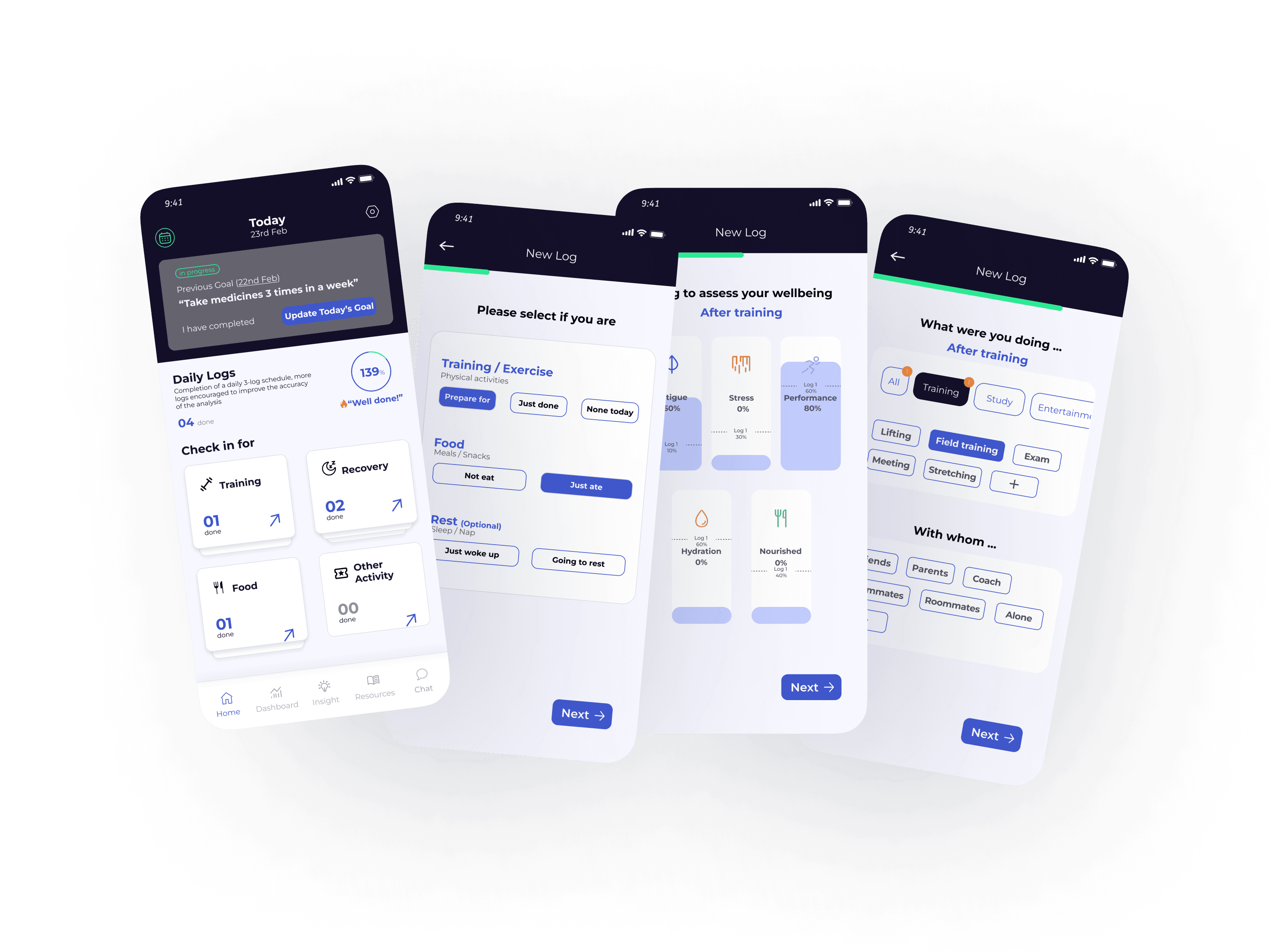
Full-width product overview
Case Study

Wellness Optimisation App

Background

As a startup, Prorizon's mobile app collects biopsychosocial data and delivers personalised insights, recommendations and programmes based on advanced analytics. Part of the data collection requires user manual input three times on a daily basis.

Background

Problem Space

Problem overview

How can we optimise the data input process of the "daily log" function to enhance user engagement, increase user satisfaction, and sustain long-term usage while ensuring implementation feasibility at this stage?

Research Process — Focus Group

After reviewing the current product's user feedback, I engaged in 3 focus groups, including card sorting, interviews, and brainstorming sessions with 10 participants total to discuss:

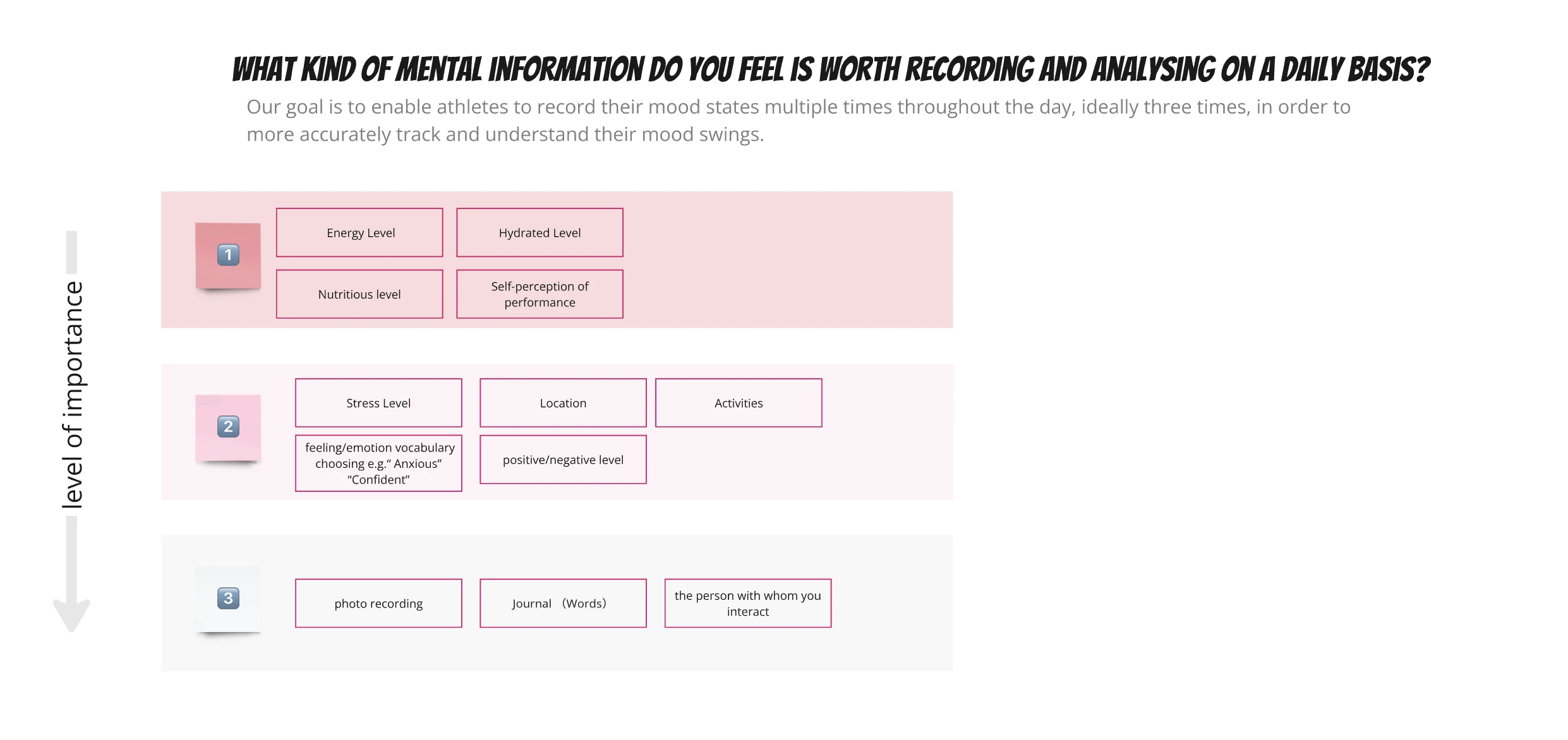
Determine the type and order of information to be collected in the mood recording section, understand How long and informative is feasible for a single log

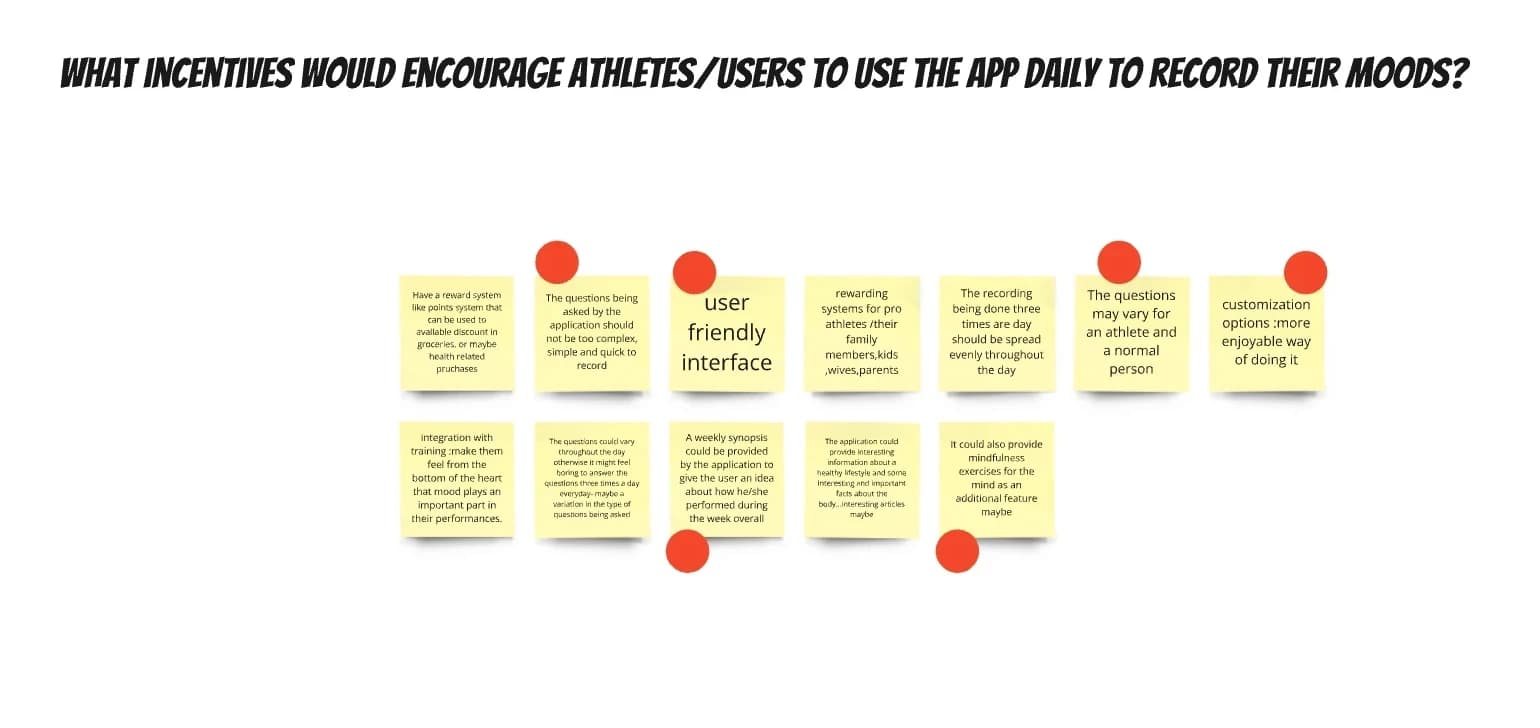
Discuss and identify effective stimuli and methods to improve number of times a user self-records per day and number of days to maintain streak

Part 1 — Card Sorting

Part 1: [Card Sorting]

10 mins

Participants will choose and rank cards representing different "log-in" elements to improve the recording process and enhance performance analysis accuracy.

Part 2 — Scenario Interview

Part 2: [Scenario Interview]

10 mins

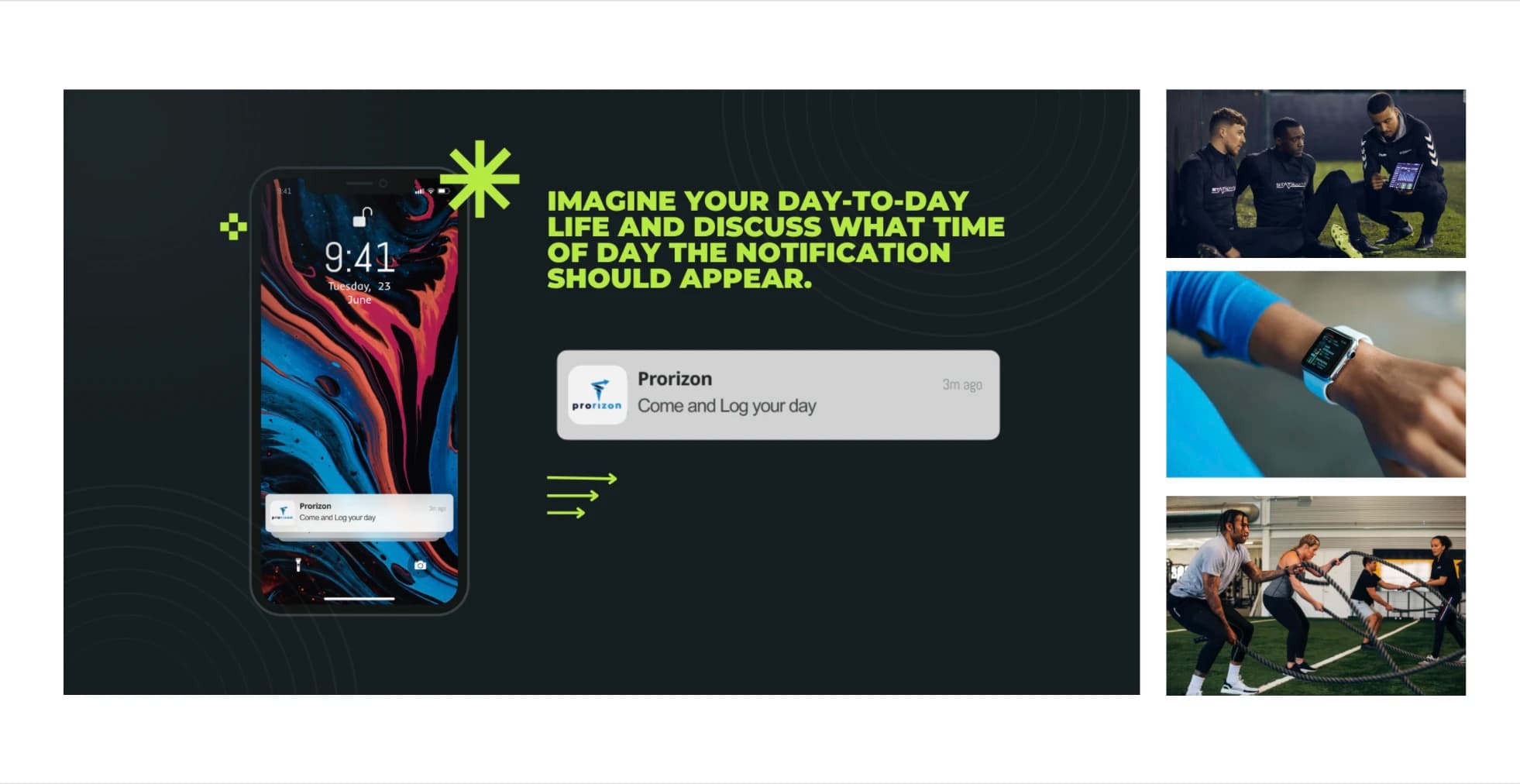
Participants will consider when and in what situations they would prefer receiving mood-tracking notifications throughout the day to help improve the timing and relevance of self-documentation prompts.

Part 3 — Brainstorming

Part 3: [Brainstorming]

10–20 mins

Participants will brainstorm creative ways to motivate athletes to log their moods daily, focusing on potential app features and incentives.

Empathy Map

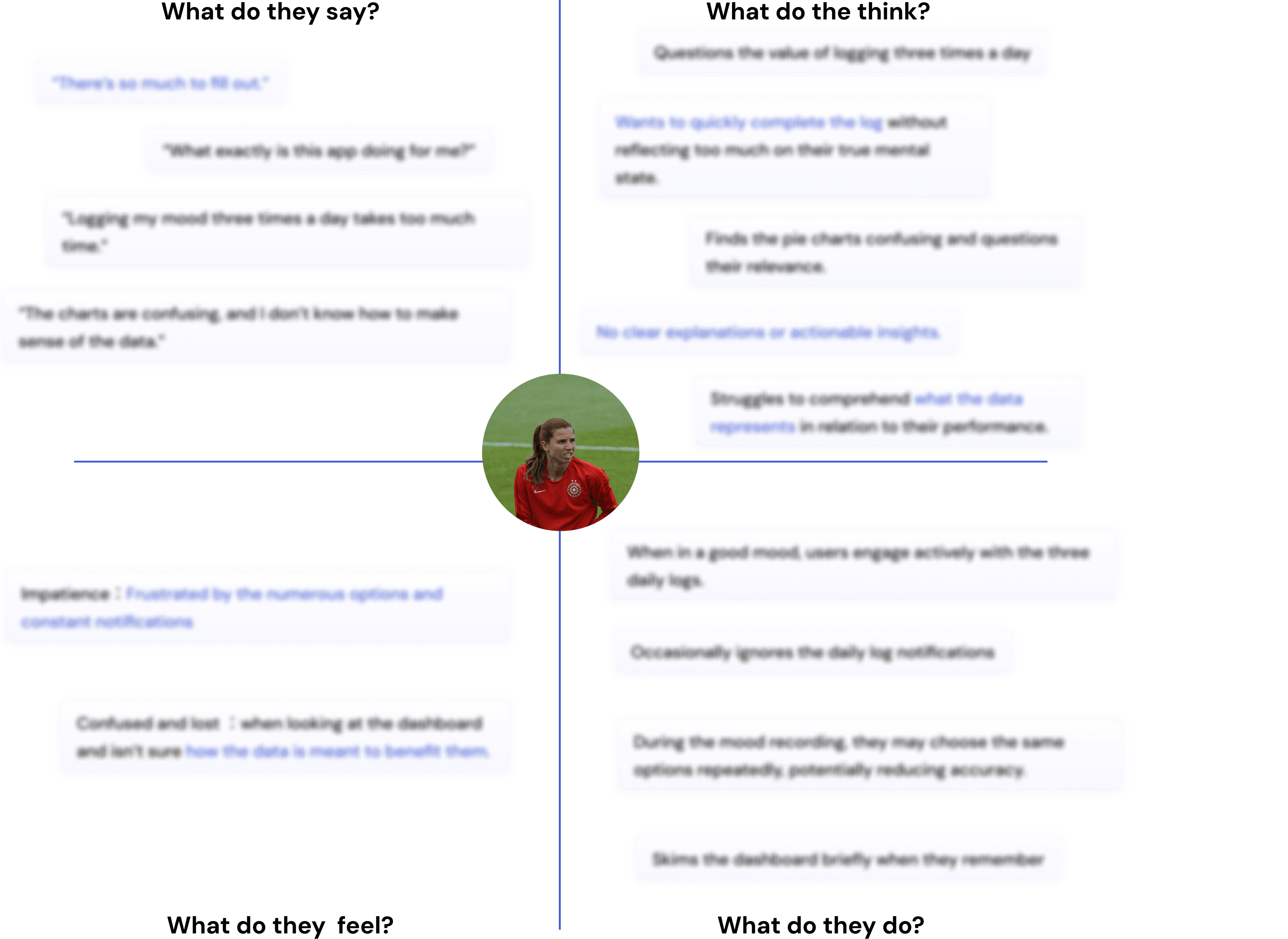
The target users are young athletes, primarily college students, who are balancing their academic commitments with the demands of athletic performance and development. To better understand their needs and challenges, the following empathy map highlights key insights from their experiences.

Empathy map

These contents are protected by NDA. If you are interested, please contact me for more information.

Findings

Low perceived
value

Low perceived value

The complexity and unclear insights make it hard for users to understand the data, leading them to question the app's value.

Intrusive
notifications

Intrusive notifications

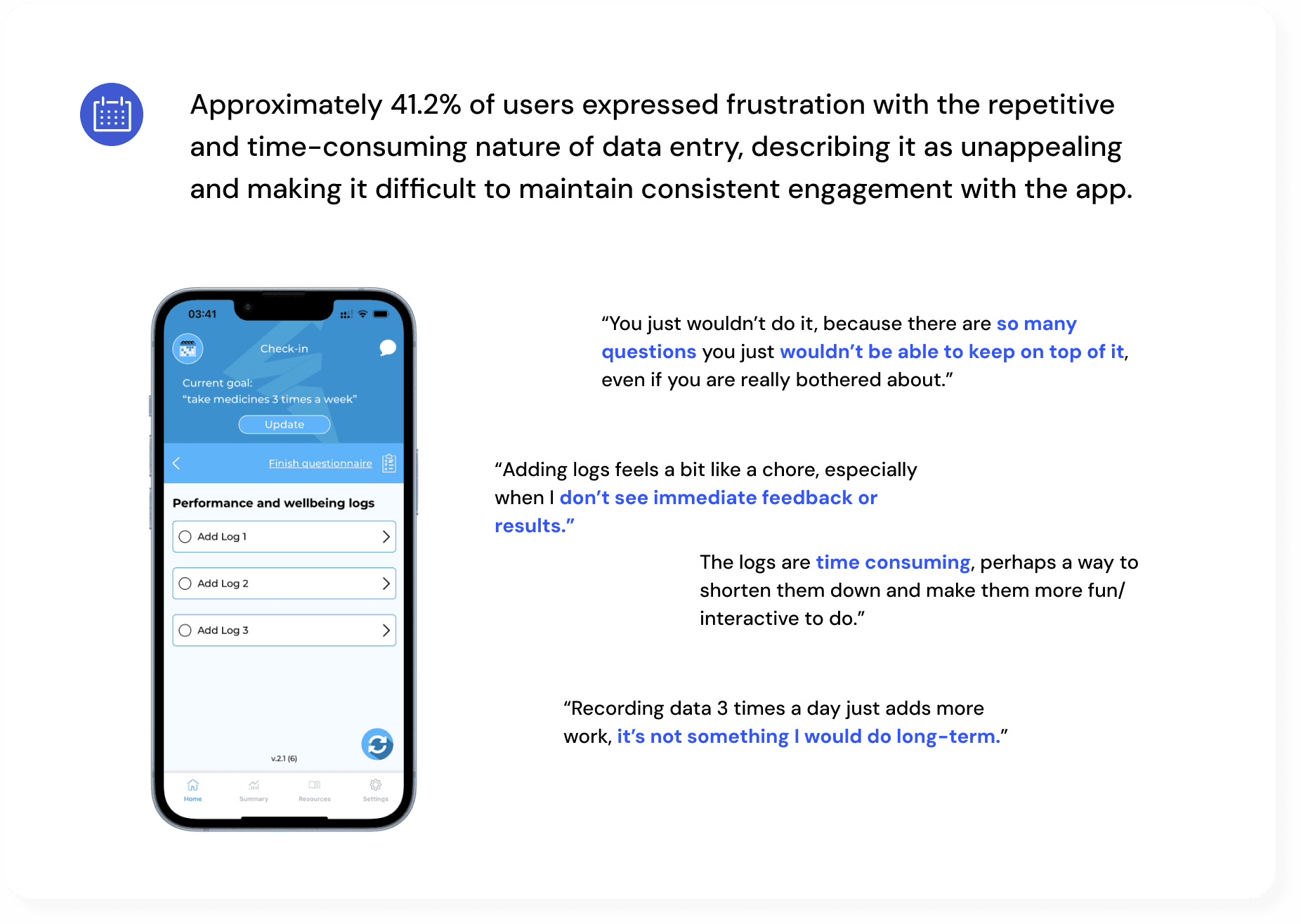
Frequent notifications for the three daily logs disrupted users' routines, leaving them feeling rushed and disengaged, leading to skipped or hastily completed logs and reducing the accuracy.

Time-consuming
logging process

Time-consuming logging process

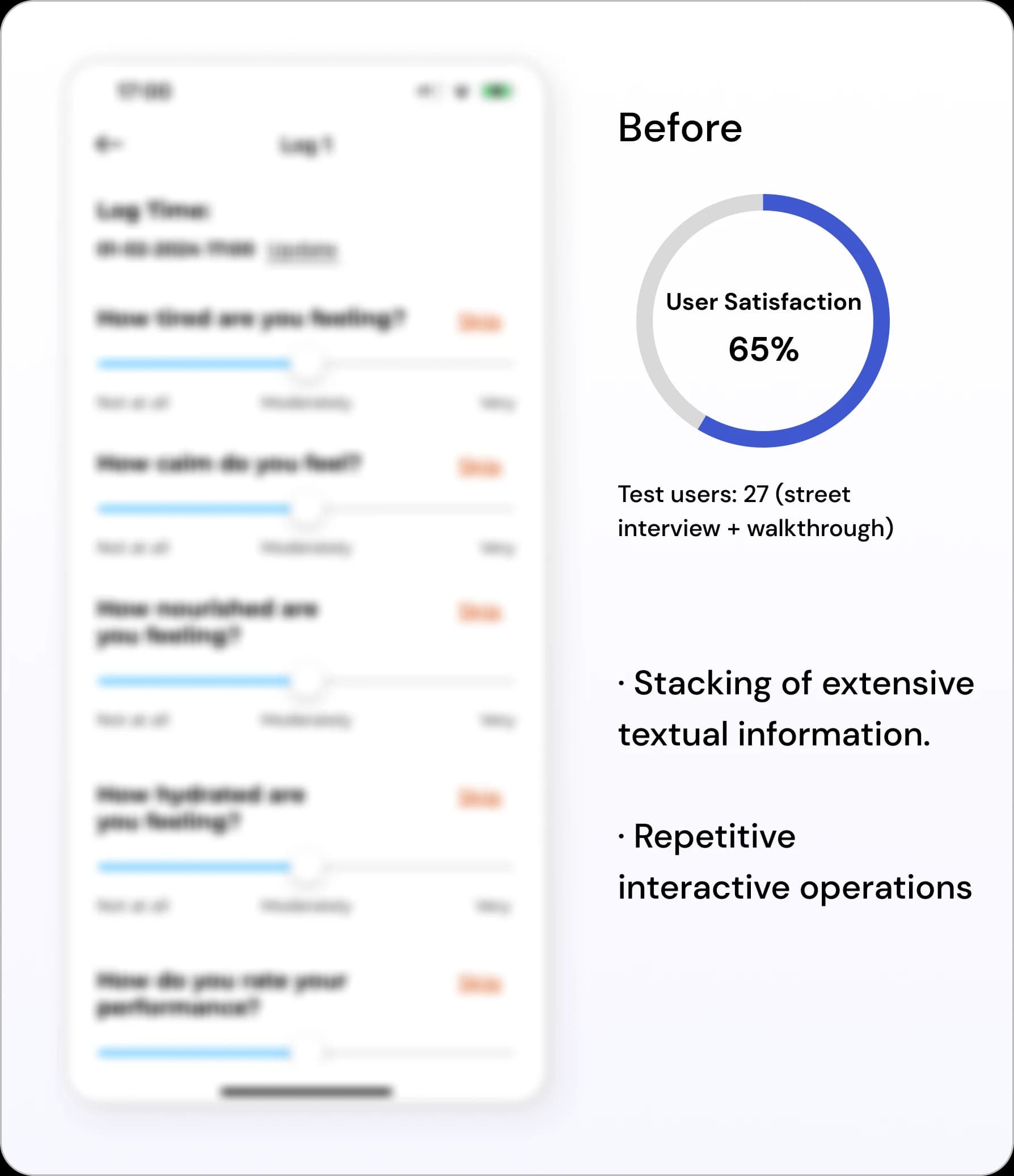
Users feel overwhelmed by the long log questions and 3-times completion requirements, leading to fatigue and reduced engagement.

Opportunities

Low perceived value

Low perceived value

01

Data-driven personalisation

After analysing focus group feedback, I identified three key design opportunities: physical rewards, community building, and data-driven personalisation. Following team discussions, we focused on personalisation as it provides athletes with immediate value through tailored insights and comparisons. This approach enhances user engagement and maximises effectiveness with minimal additional resources.

Community building

Encouraging engagement through stack competitions and online communities.

Stack competition

Online Community

Cost of partner relationship building

Appeals to general users

Physical Rewards

Offering tangible incentives like subscriptions, brand gifts, discounts, and family rewards.

Subscription Offers

Brand gift

Discount

Rewards for family

Cost of partner relationship building

Appeals to general users

Data-driven personalisation

Providing personalized, actionable feedback based on user data for immediate results.

Quick and immediate feedback

Interpret data

Actionable suggestions

Aligns with habits of comparing training results through data.

Intrusive notifications

Intrusive notifications

02

Integrating Log-in into Daily Life Naturally

Align check-in times with users' typical daily events. This approach avoids setting rigid reminders, making the process of logging activities feel more intuitive and less disruptive.

Research was conducted to identify the events when users are most likely to create a "log".

Time-consuming logging process

Time-consuming logging process

03

Smarter Data Collection and Sequence Tweaks

After meeting with Data Scientist, we decided to streamline the data collection process. Some features were removed and the whole process was re-ordered based on the importance and frequency of information rated by users.

Ideation & Validation

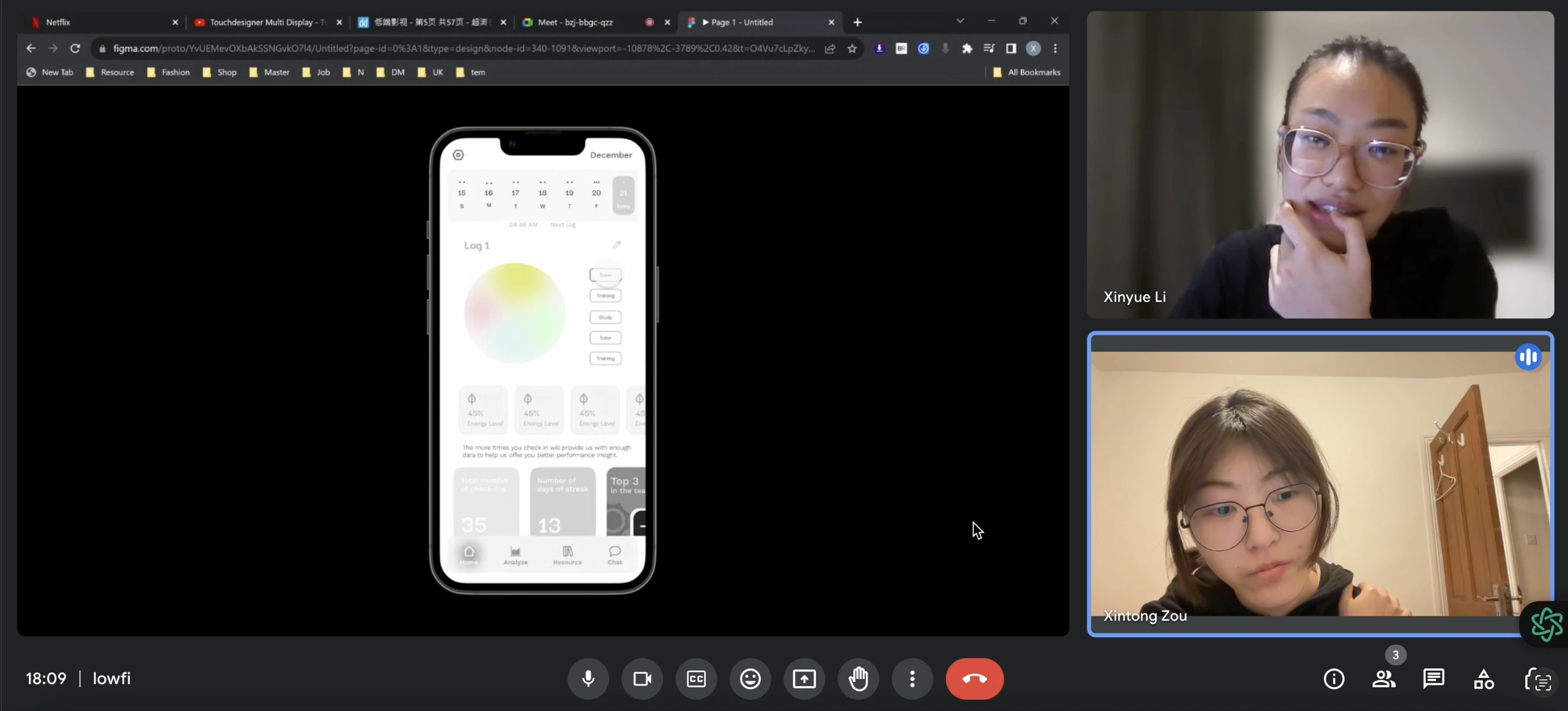
Online 1-1 Interviews with Athletes

30 minutes

Access the smoothness and engagement of the new daily log-in process based on user interaction (observation & feedback), and efficiency (success rate & time taken to complete the process).

Interview
A/B Testing

Guerrilla interviews

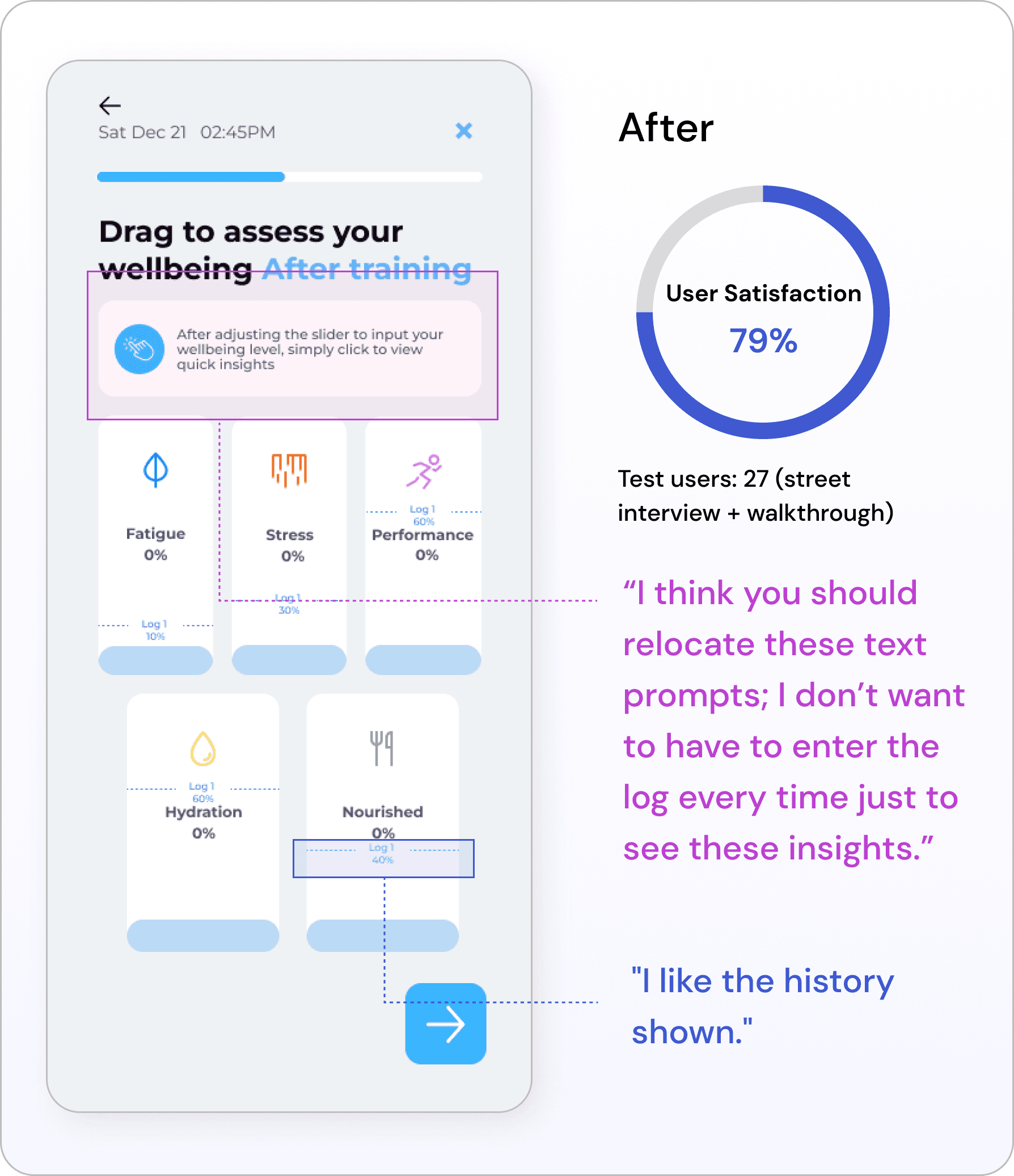
I conducted an A/B test comparing the existing design of the log-in process with a new design I created, focusing on the general questions and emotion log sections. The goal was to assess which version improves user engagement and satisfaction.

A/B Testing
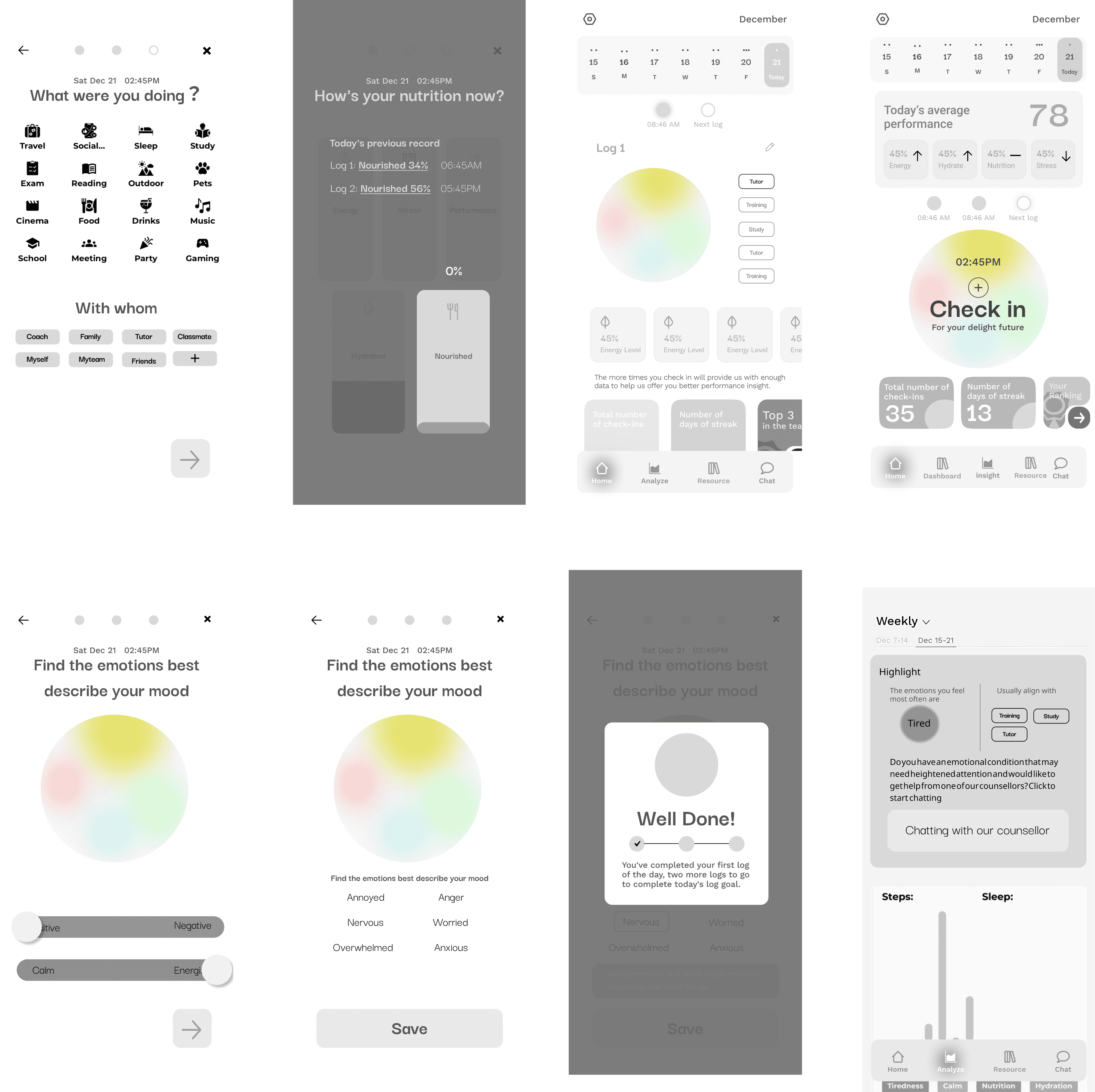
Low-Fi Prototype

Solution Details

1

Data-Driven Personalisation

Perceptual Reference Point

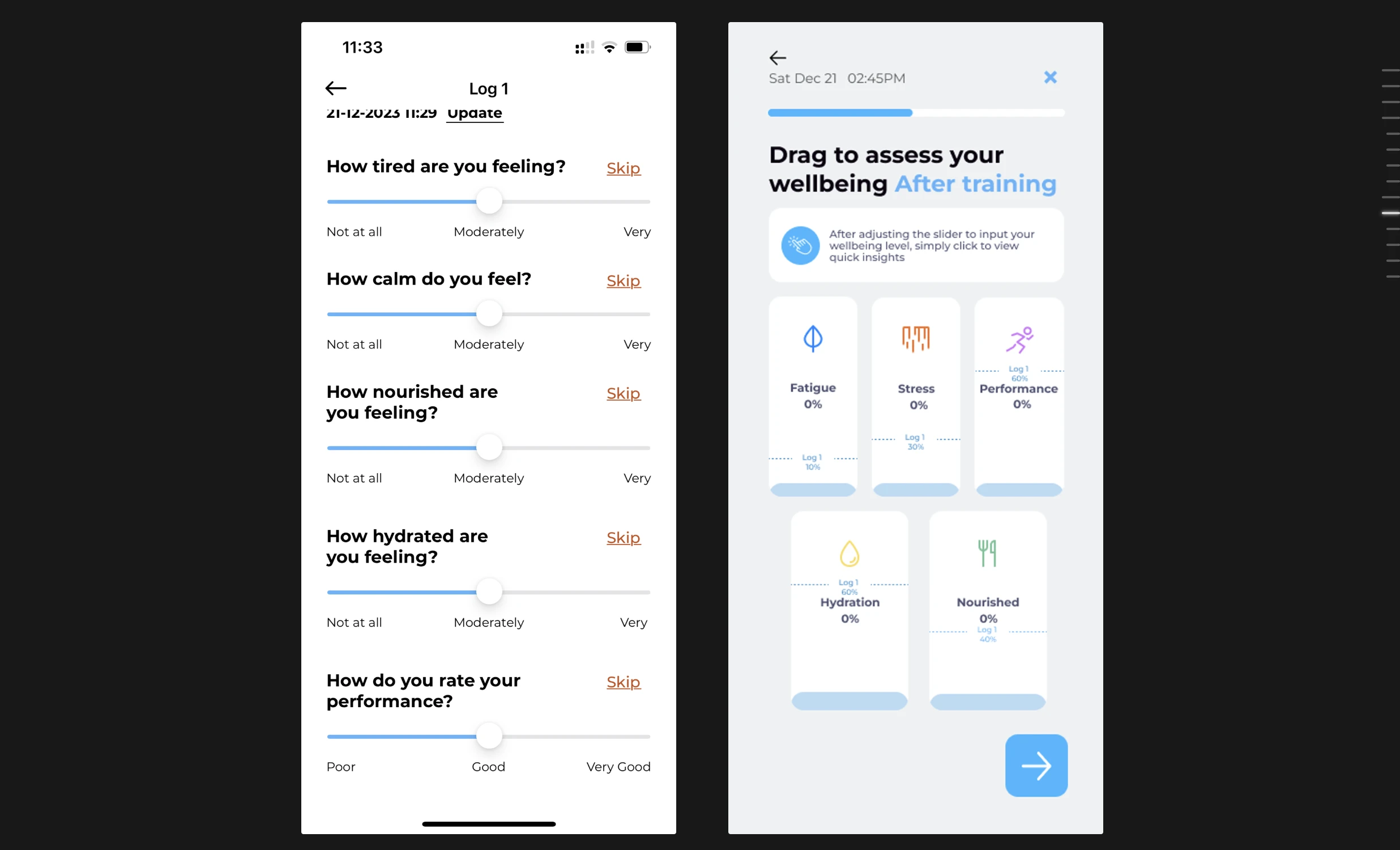
During the manual check-in process, added a feature that compares previous data, offering references and insights that enhance user engagement.

Perceptual Reference Point — APerceptual Reference Point — B

These contents are protected by NDA. If you are interested, please contact me for more information.

Quick Insight

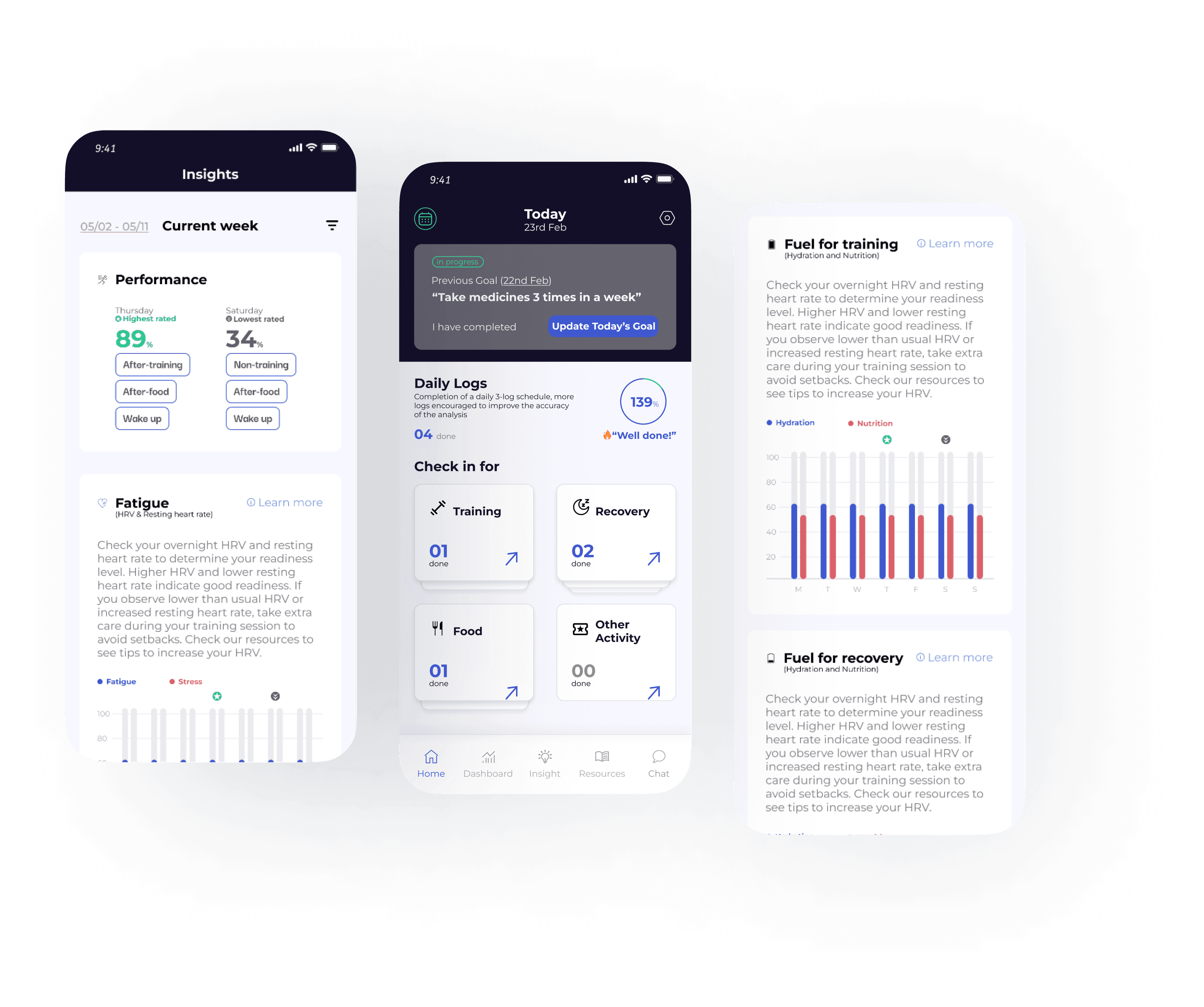
Collaborating with the data scientist, I designed a new "Insights" feature that displays data and provides relevant insights.

The original design, which visualises data, was found complicated and hard to interpret during user research.

This new feature is, therefore, designed to link associated data points and provide insights and guidance for improving health and performance based on the data.

A Design System Enhancement for Insights Feature — Quick Insight

As part of the new 'Insights' feature, I extended the existing design system while maintaining consistency with the brand's original guidelines. Starting with the updated brand colours, I established a new colour foundation, using a combination of red and the brand's blue to create clear visual contrast for data comparison components. Plus, with the help of the developer, I also conduct design for edge cases such as low data, no data, and data limitations.

This ensured that the new design elements seamlessly integrated with the overall system, providing a cohesive user experience while allowing for more dynamic data visualisation colour.

Design system enhancement

These contents are protected by NDA. If you are interested, please contact me for more information.

2

Integrating Log-in into Daily Life Naturally

Perceptual Reference Point — Home page

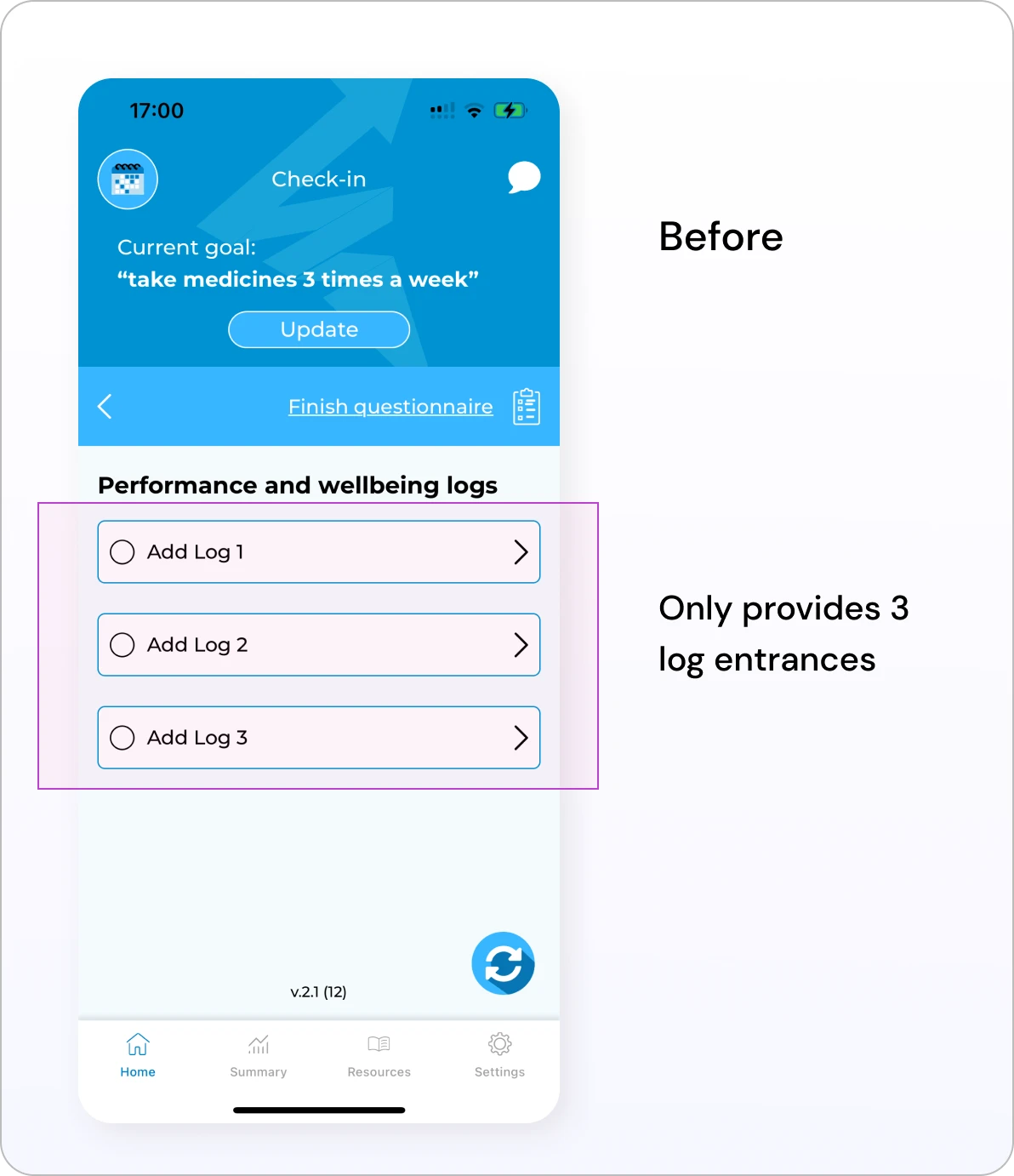
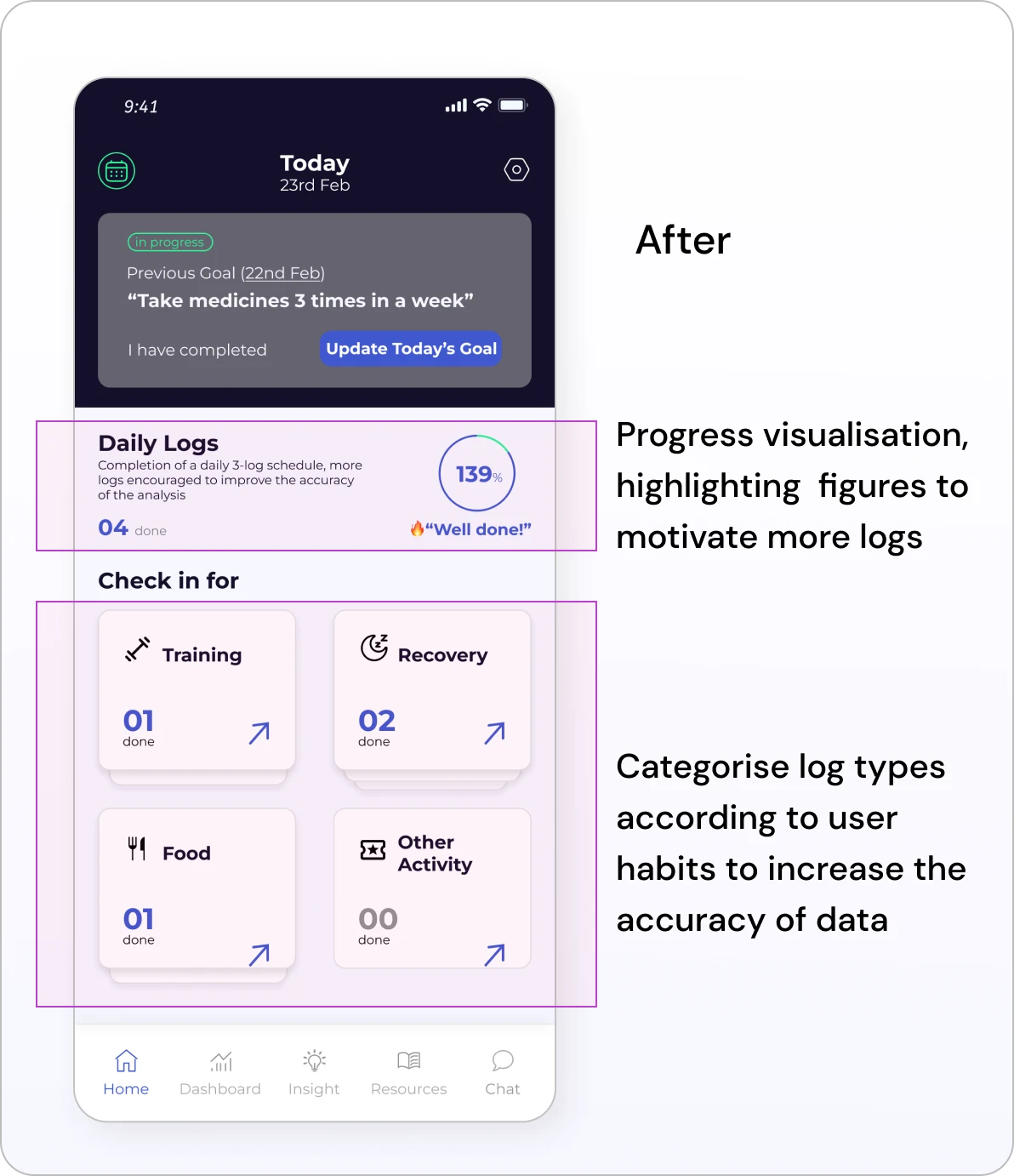
Identify different potential log times in daily routines, embedding logs into habits to clarify users' 'paths'.

Daily Log — ADaily Log — B
Daily Log — Full

Stacking up the history of today's log

3

Smarter Data Collection

What is the best method for emotional data collection?

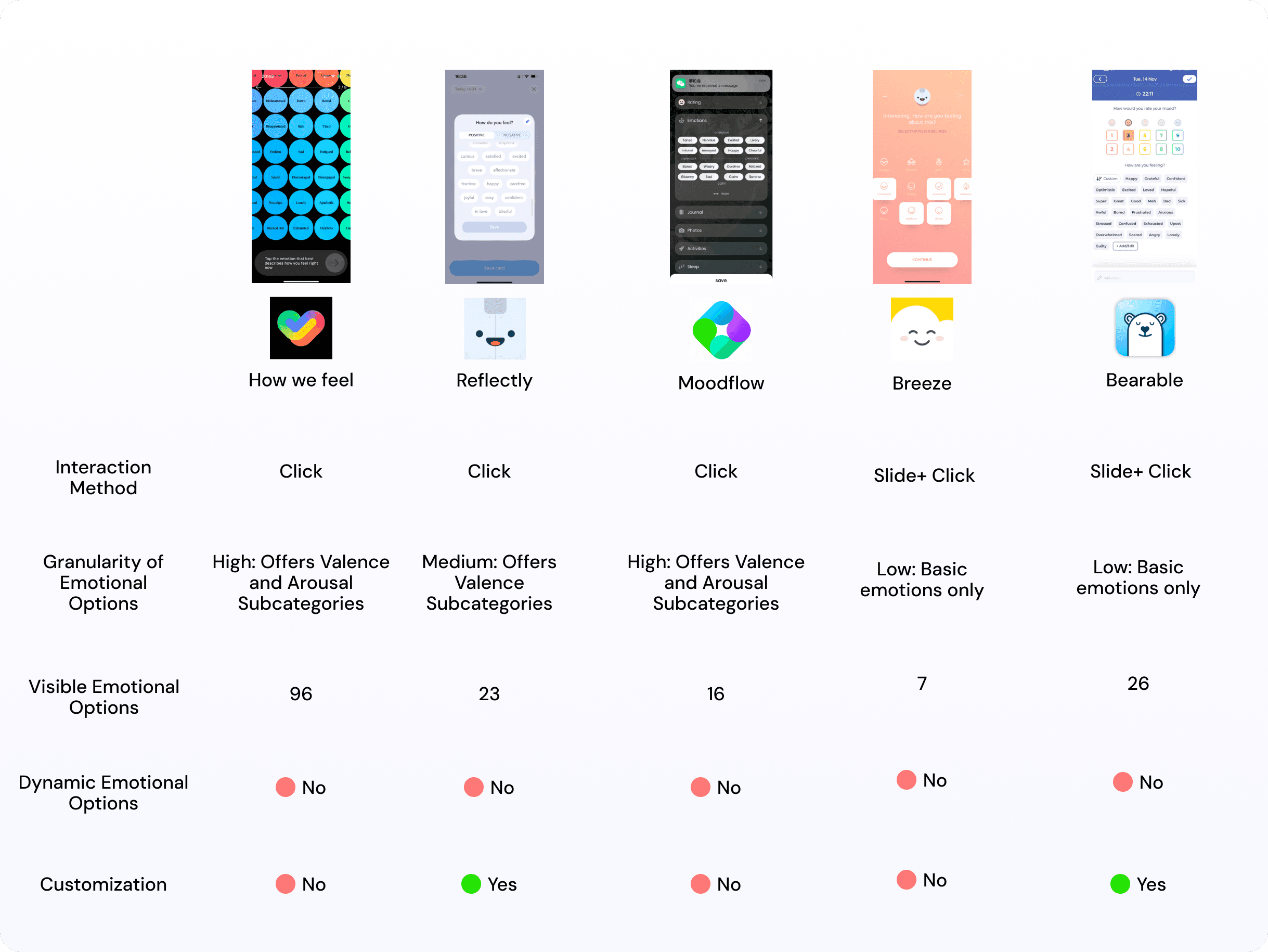
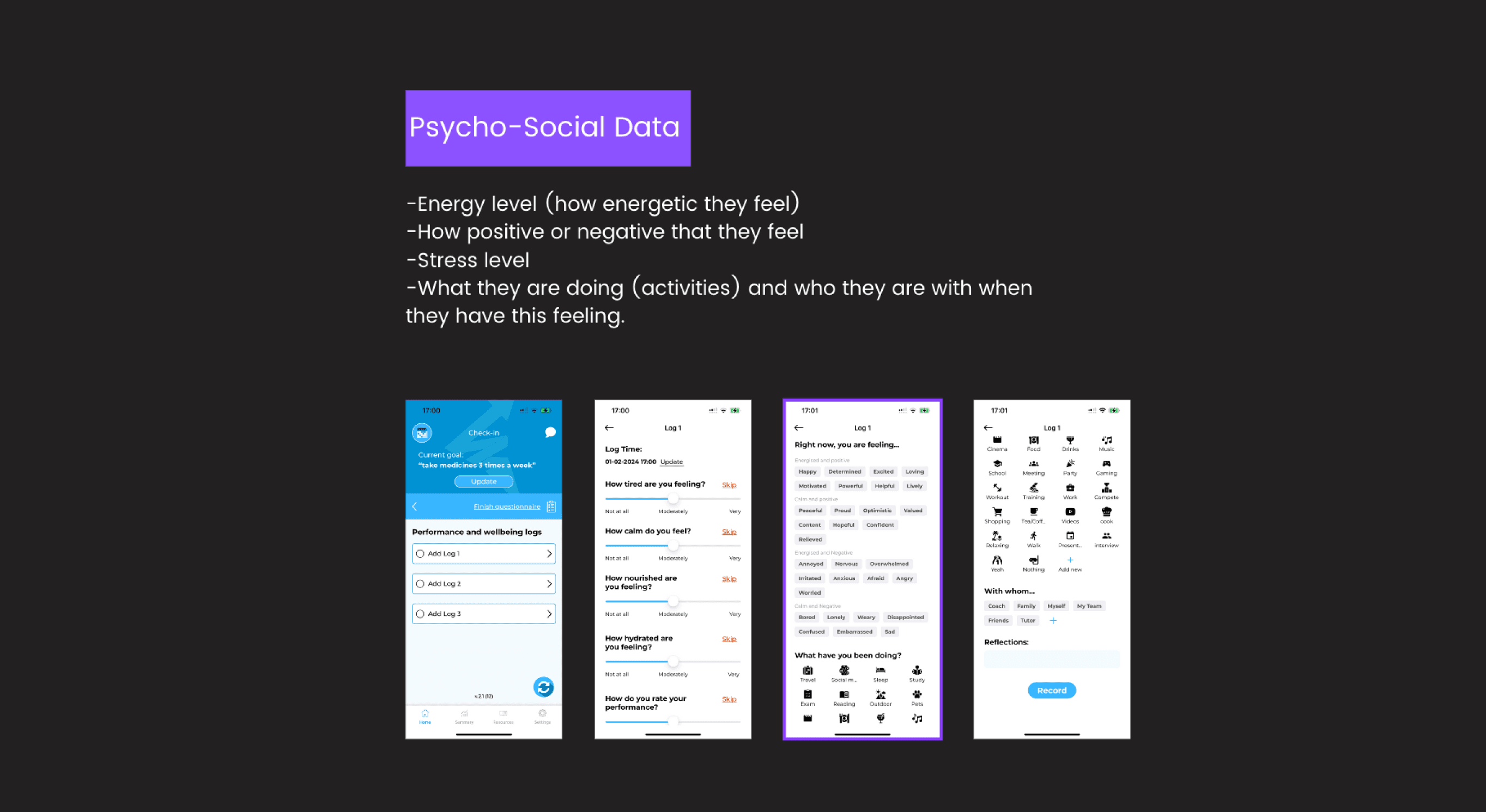
To address the aforementioned issue, I began by analysing and studying five highly-rated emotional tracking products available on the market. I first discovered that the interaction methods across these competitors were similar, primarily relying on simply clicking on chips to record emotions. However, this approach presents a challenge in balancing information overload with the accuracy of emotional data recording.

Too few choices affect the accuracy of the data, and too many choices result in a cognitive load

I try to experiment with new interaction methods.

Competitor analysis — emotion tracking

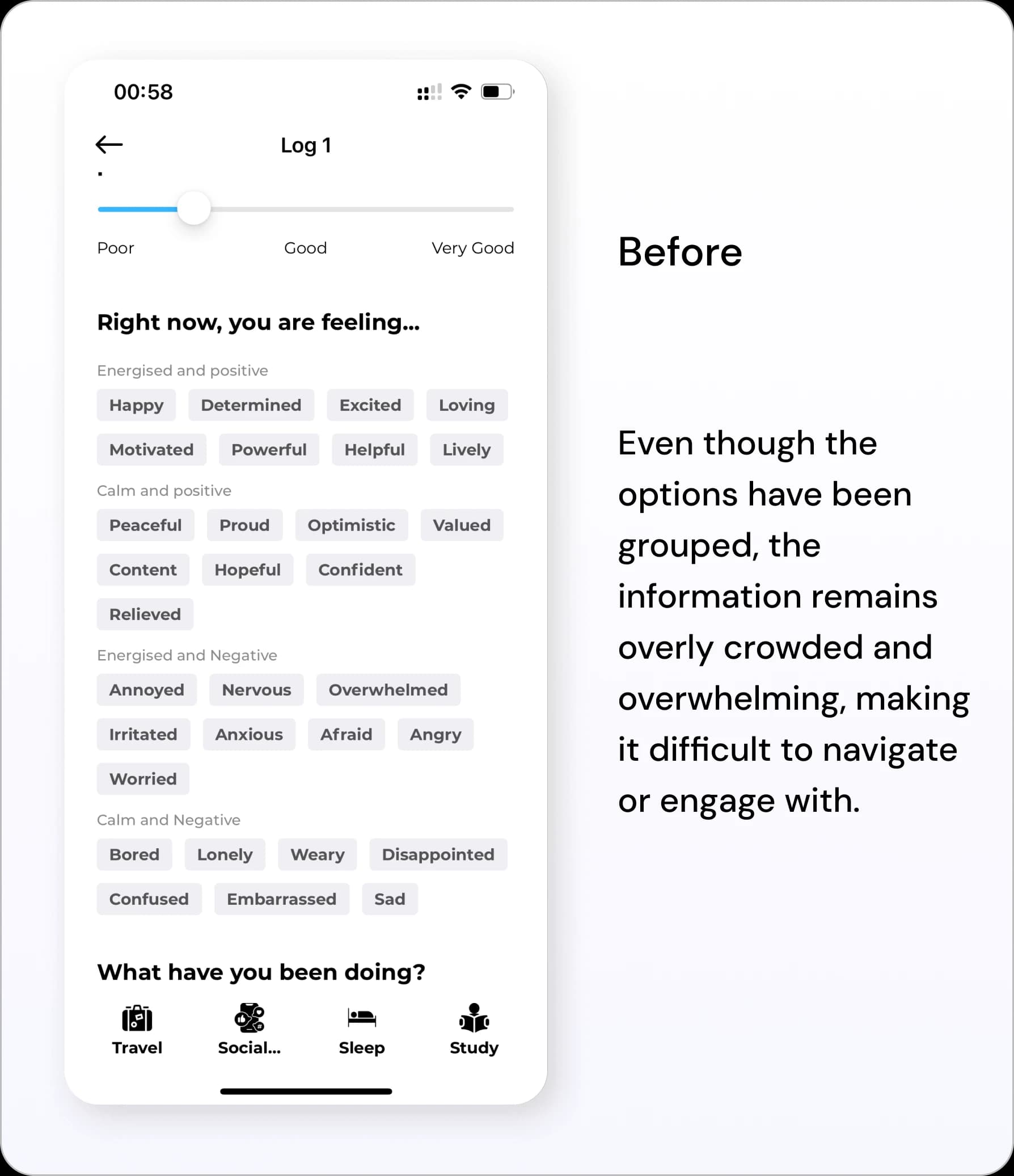
Original Design

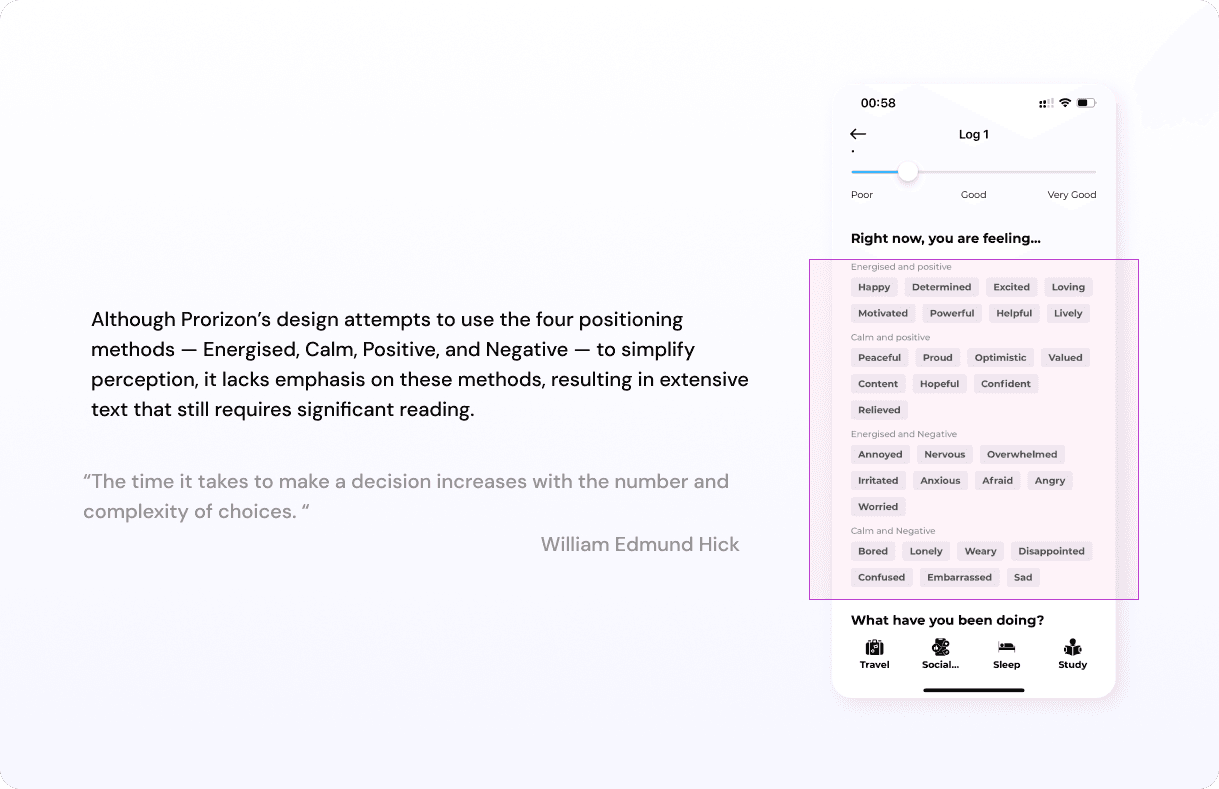
The original design of Prorizon was visually similar to competing products, but based on user feedback, it also suffered from the drawback of information overload.

Original design

Experiment about New Interaction Methods

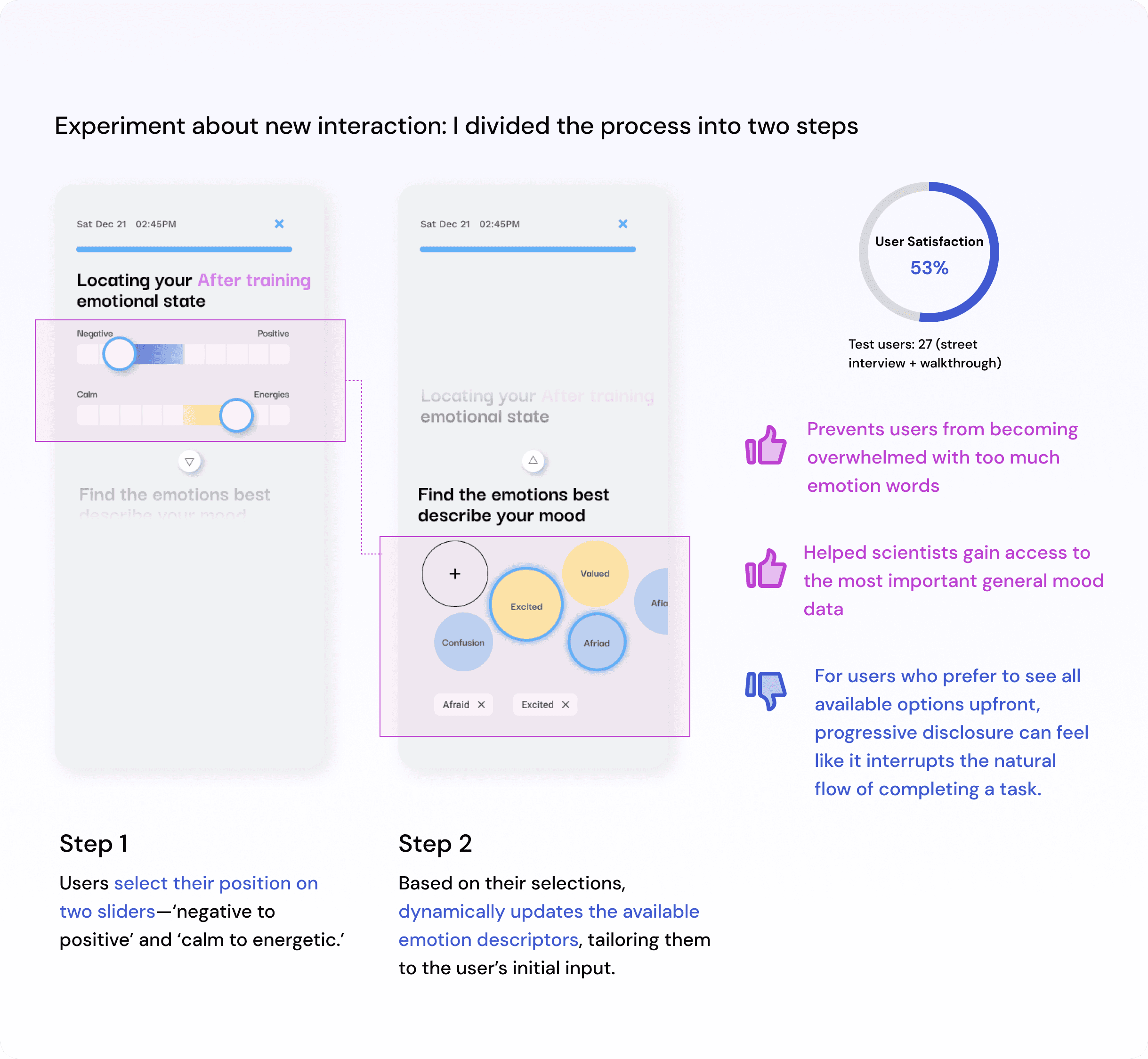
I applied Hick's Law by introducing progressive disclosure to present the different emotion options in phases, reducing the number of chips and complexity to alleviate cognitive load.

However, the project faced technical limitations, and only 53% of users responded positively to the new design, indicating some potential. Moreover, the new approach risked reducing the accuracy of data collection. This led me to reconsider my design, acknowledging that some complexity is unavoidable in mood data collection. Ultimately, I decided to retain the original design.

New interaction experiment

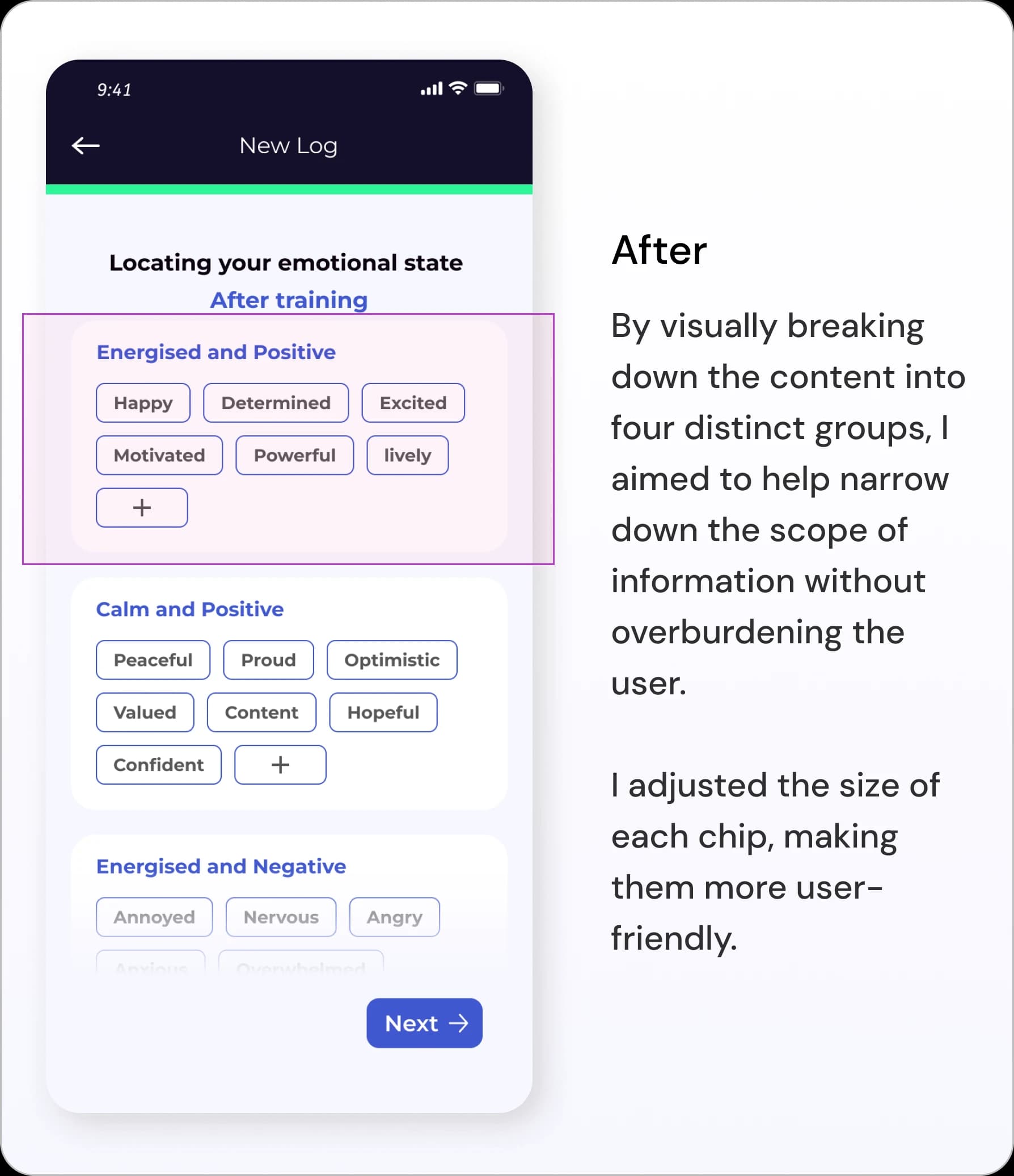
While retaining the original design, I optimised the information layout to improve readability and user experience.

BeforeAfter

Final Direction

Step 1Anchoring and Categorizing the New Log

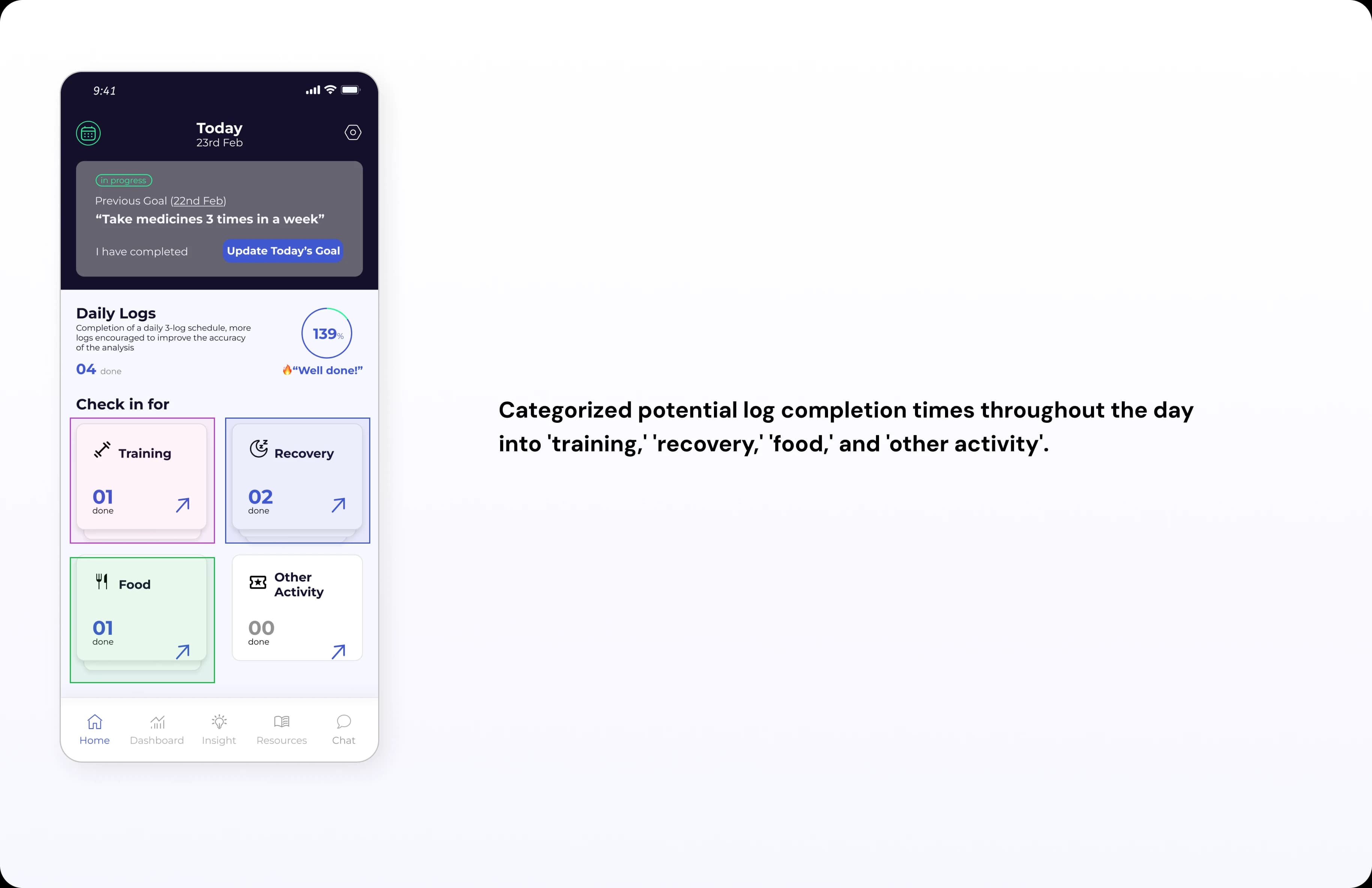
Four categories of the log portal—Training, Recovery, Food, and Other Activities—are designed to align with users' availability and the specific needs of data analysis.

The next step involves detailing the background of each log entry based on the selected category to ensure comprehensive and accurate data collection for mandatory analysis. This will help refine insights and improve the relevance of feedback for users, based on their activity patterns and preferences.

Step 2Physical General Questions

Using today's history data allows users to position their perceptual records more quickly and accurately by providing context based on recent trends.

With this immediate feedback, users can log their moods or activities more intuitively, streamlining the overall process while boosting user engagement and data quality.

Step 3Activities and Influencers

Choose the relevant activities and relevant person for this log

Step 4Mood

Multiple-choice emotion descriptions can be provided to align with the specific log categories.

Step 5Insights

Combining objective physical data from wearable devices with subjective physical and emotional data from daily log-ins provides users with valuable data insights.

Learning

Exploring Multiple Research Methods

In this internship project, I was able to expand my research skills by applying multiple methods during the research phase. I experimented with conducting studies in different environments and forums, something I had rarely done in previous projects. This taught me how to adapt research strategies based on the context, improving my ability to gather insights from diverse user groups and situations.

Collaborating with a Cross-Functional Team

In this project, I had the opportunity to collaborate closely with scientists, developers, and the product owner. This experience was invaluable because it allowed me to gain insights into how each role contributes to the product's success and helped me better understand the importance of cross-functional communication. It was a new and rewarding experience that broadened my perspective on how design fits into a larger team dynamic.