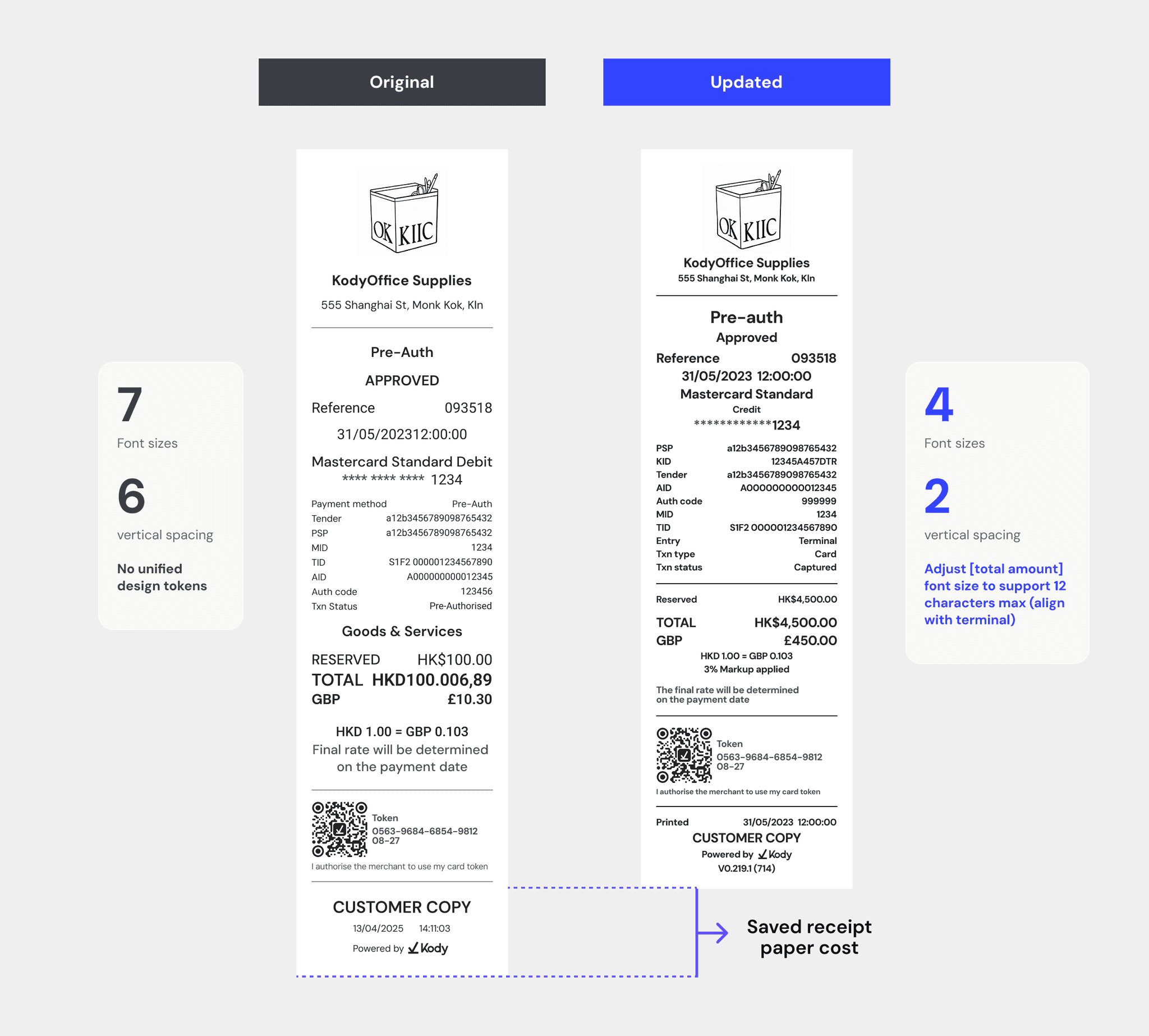
"Reduced foundation tokens by 76%, cutting design-to-code handoff ambiguity and enabling a 13% reduction in receipt paper usage across the merchant network."
Kody's product ecosystem had grown into four platforms, each evolving independently. As the system scaled, the UI became fragmented — slowing down delivery, creating inconsistencies, and making design-to-development alignment difficult.
I led efforts to bring structure by defining a shared foundation and constrained reusable components that could scale across 4 products.
Rebuilding the Kody Design System
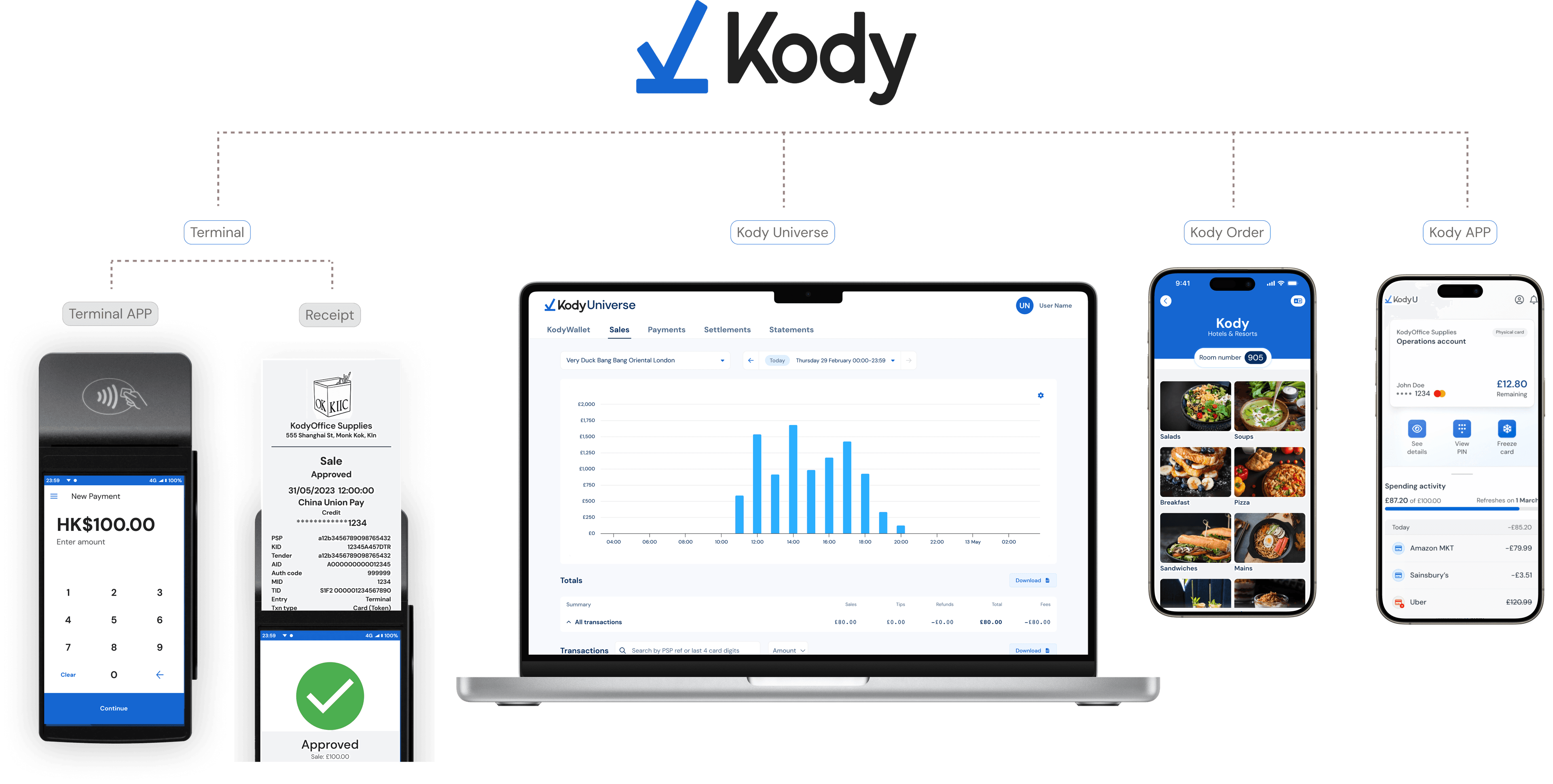
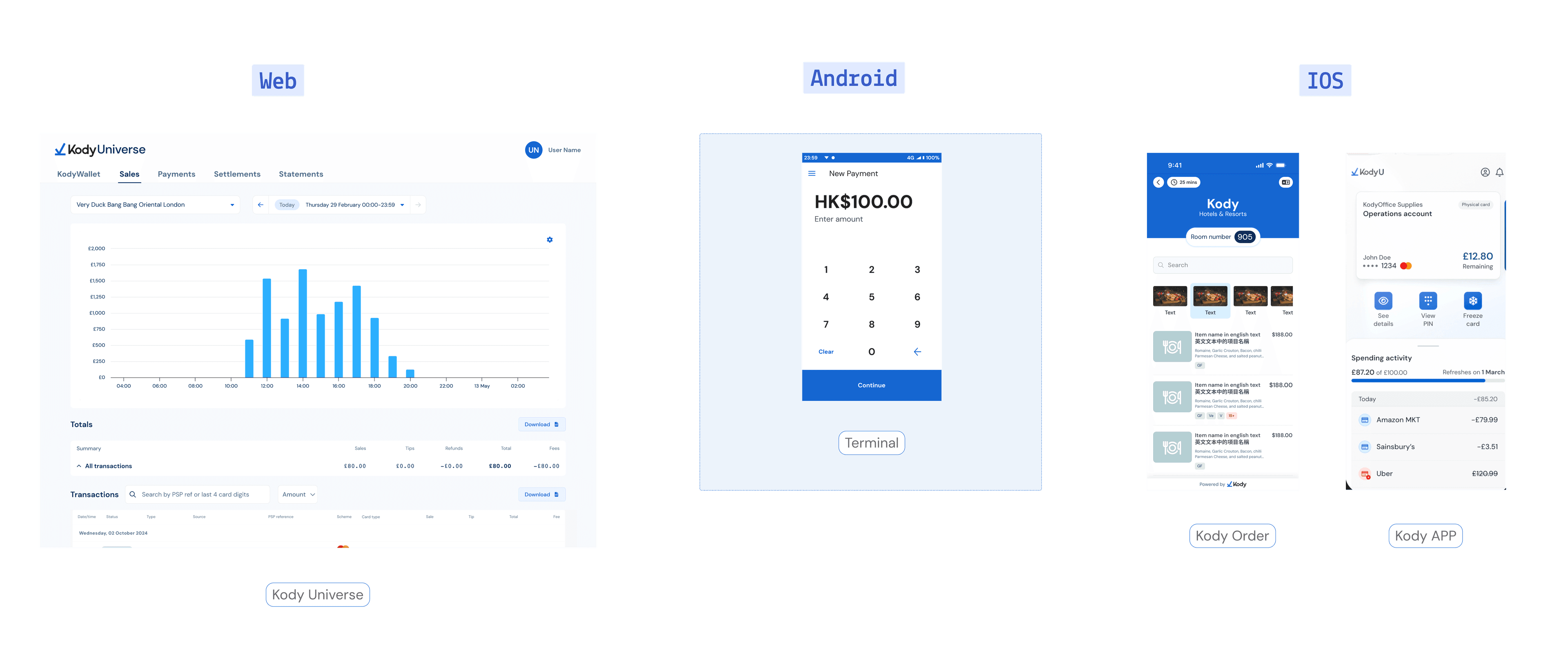
Kody has multiple product streams:
Terminal
Offline payment experience
Terminal APP
Android companion app
Receipt
Physical artefact that is printed
Kody App
Bank application
Kody Universe
Merchant web app for reconciliation
Kody Order
QR ordering experience

Each was built by different members at different points in time. As the suite expanded, the UI drifted apart, and the existing "design system" was no longer a system but a loose collection of overlapping patterns.
The cost showed up most clearly inside the team. Engineers flagged it repeatedly: new joiners kept rebuilding components that already existed, because the source of truth lived in a handful of long-tenured colleagues — creating constant back-and-forth before and after implementation just to verify correctness. At four products and a growing team, institutional memory had become the scaling bottleneck.
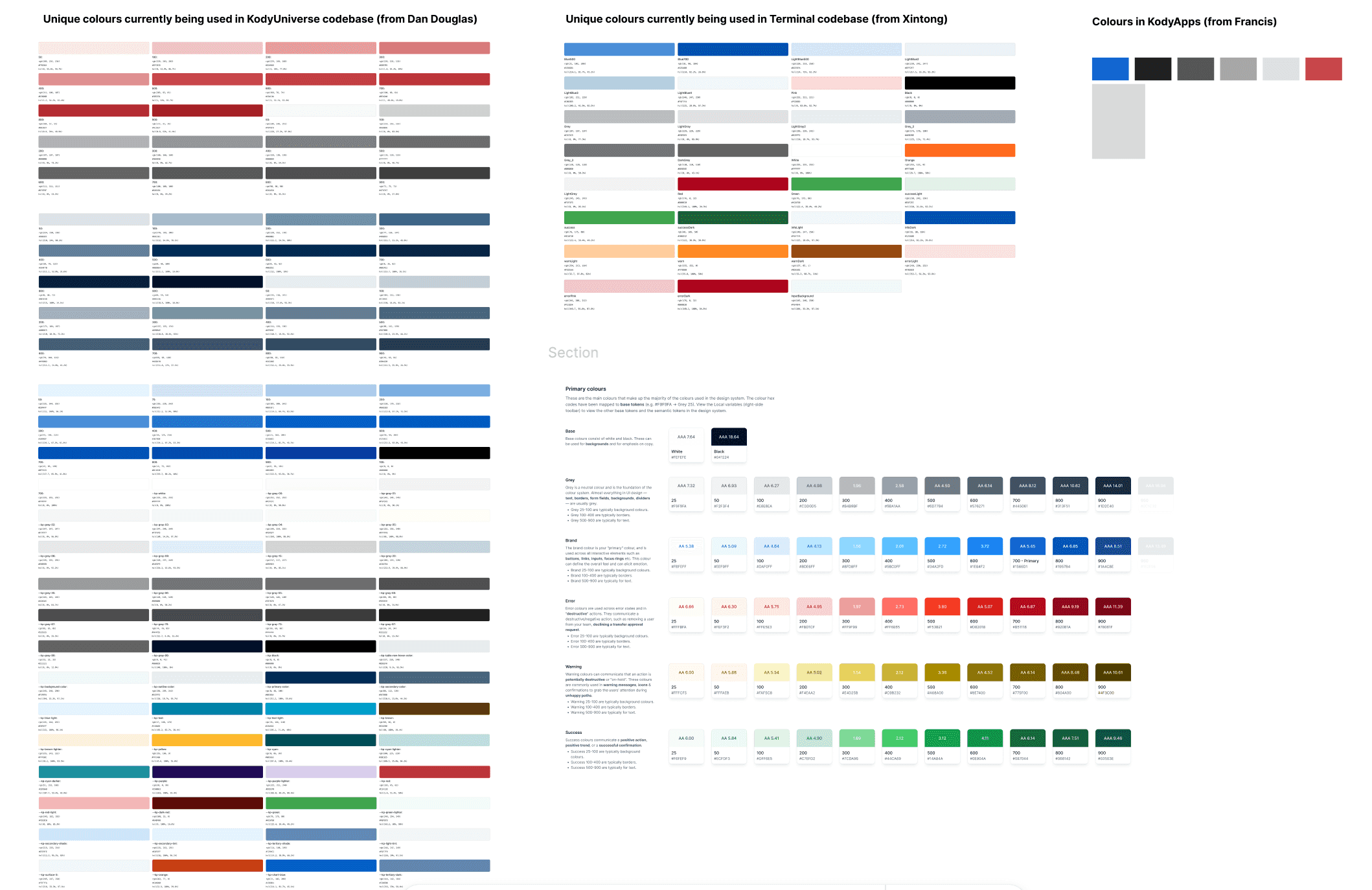
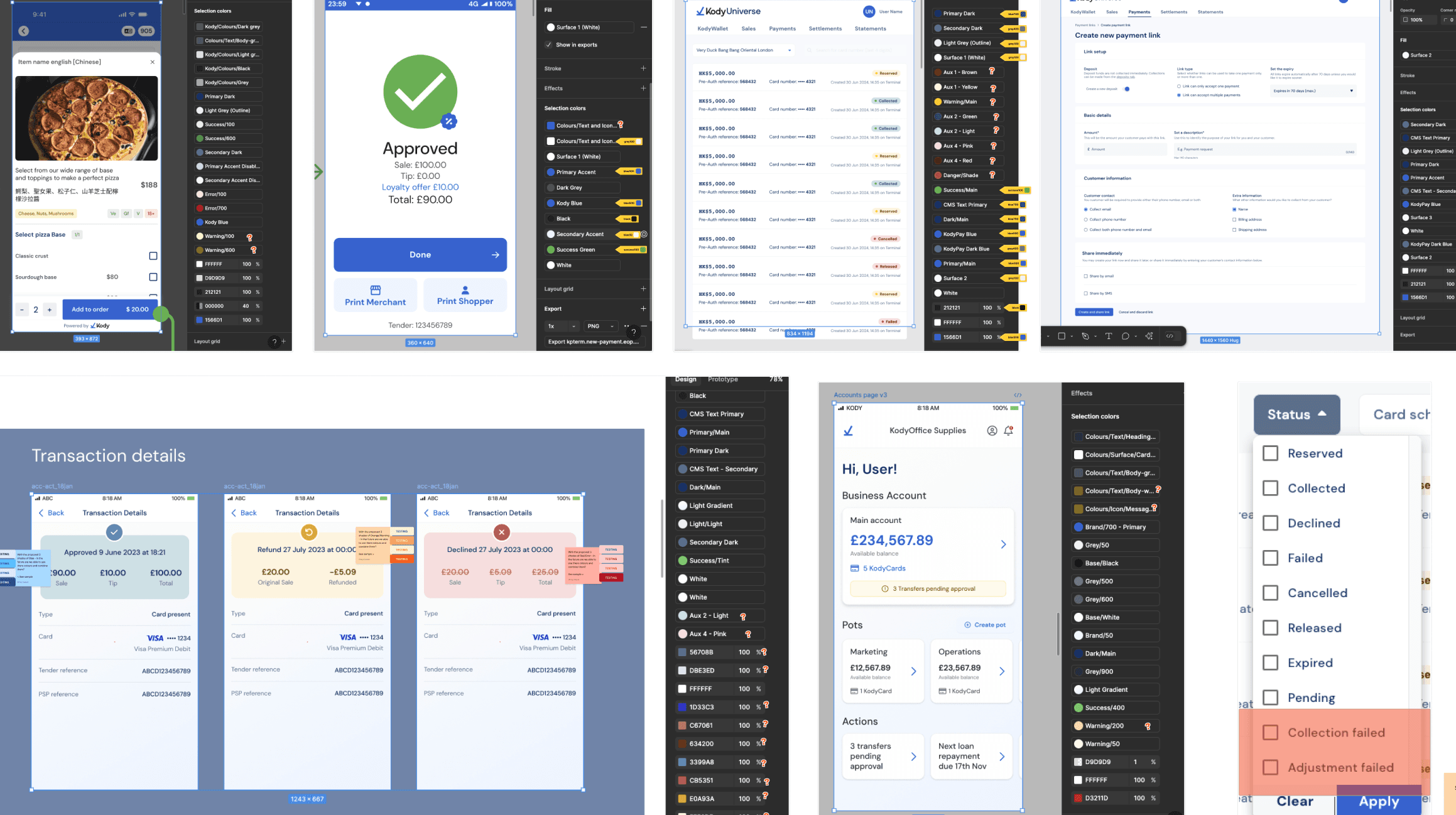
I conducted a UI audit across products revealed significant inconsistency in both foundations and components.
Hundreds of tokens were used across products, with no shared structure or naming system
The same UI patterns were implemented differently across platforms, leading to duplication and inconsistency


No consistent token structure across products

Inconsistent component implementation across products

Different product tokens were mixed within the same interface

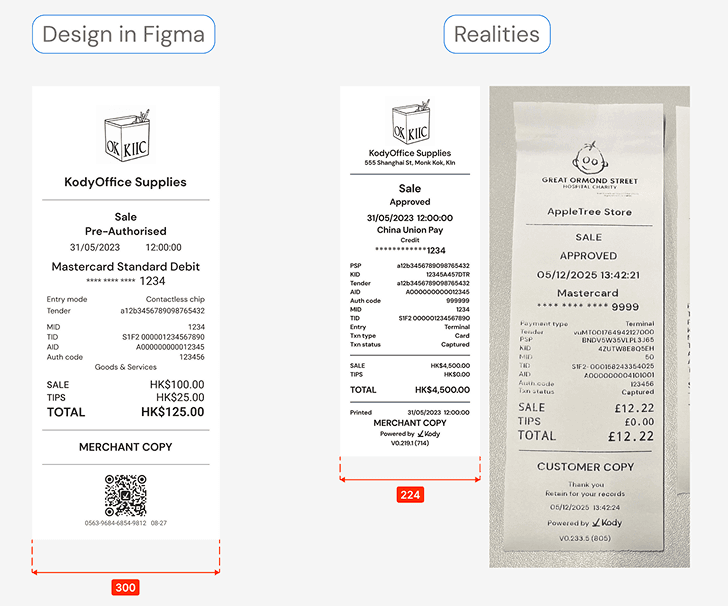
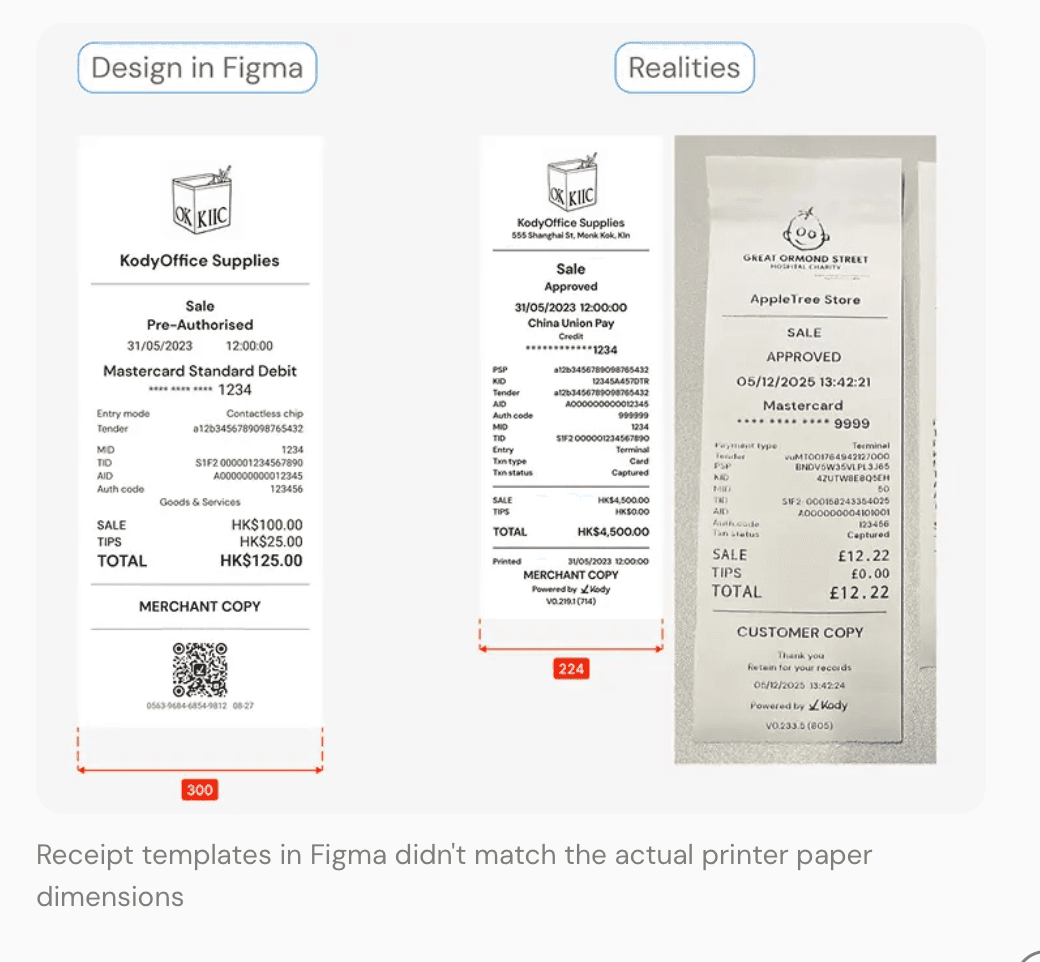
Receipt templates in Figma didn't match the actual printer paper dimensions
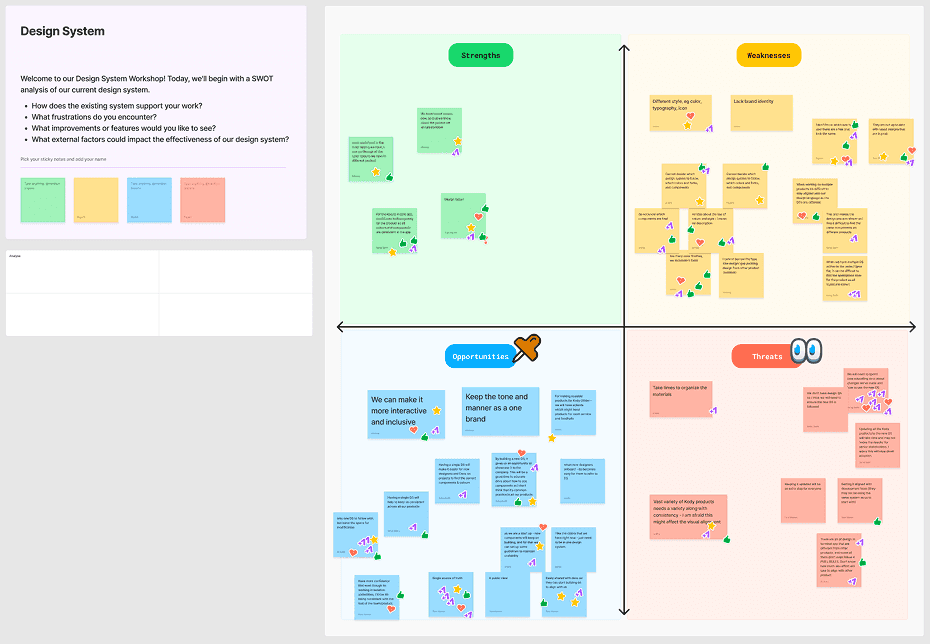
After Audit i led a cross-functional workshop to align the these findings design, engineering, and QA.

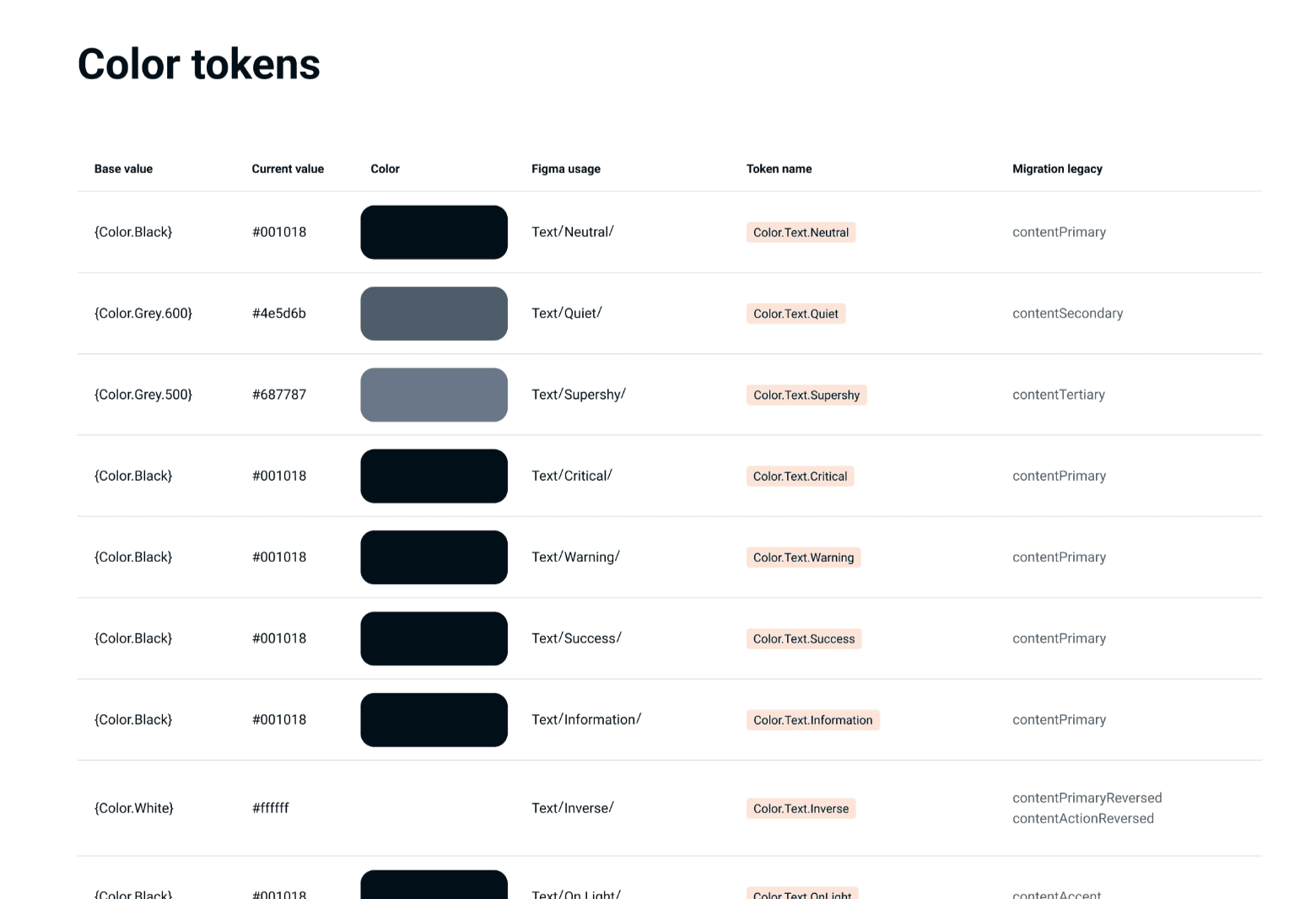
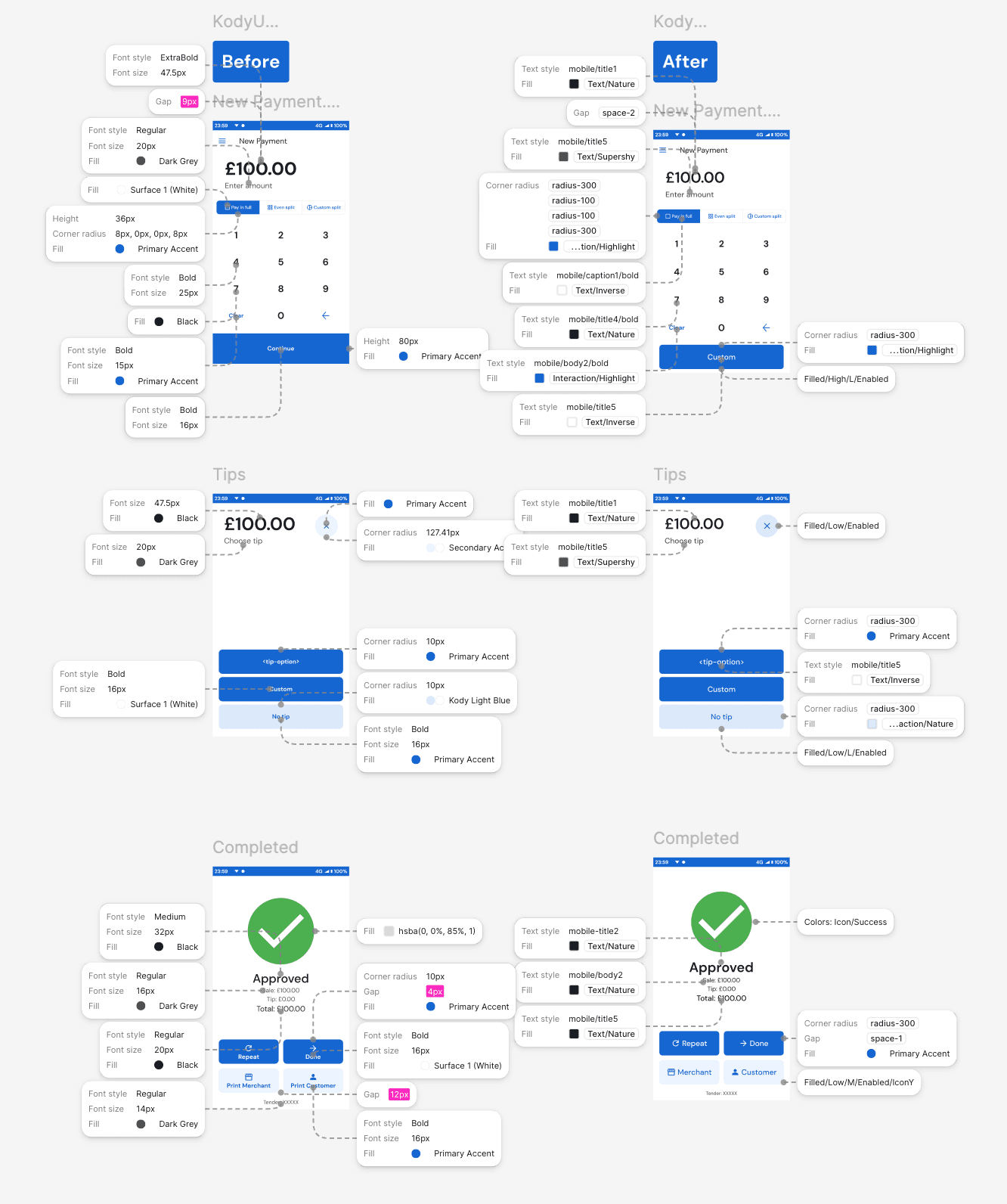
Design values weren't reliably tokenised: engineers used one-off hex values or picked between same-named tokens that resolved to different actual colours across products.
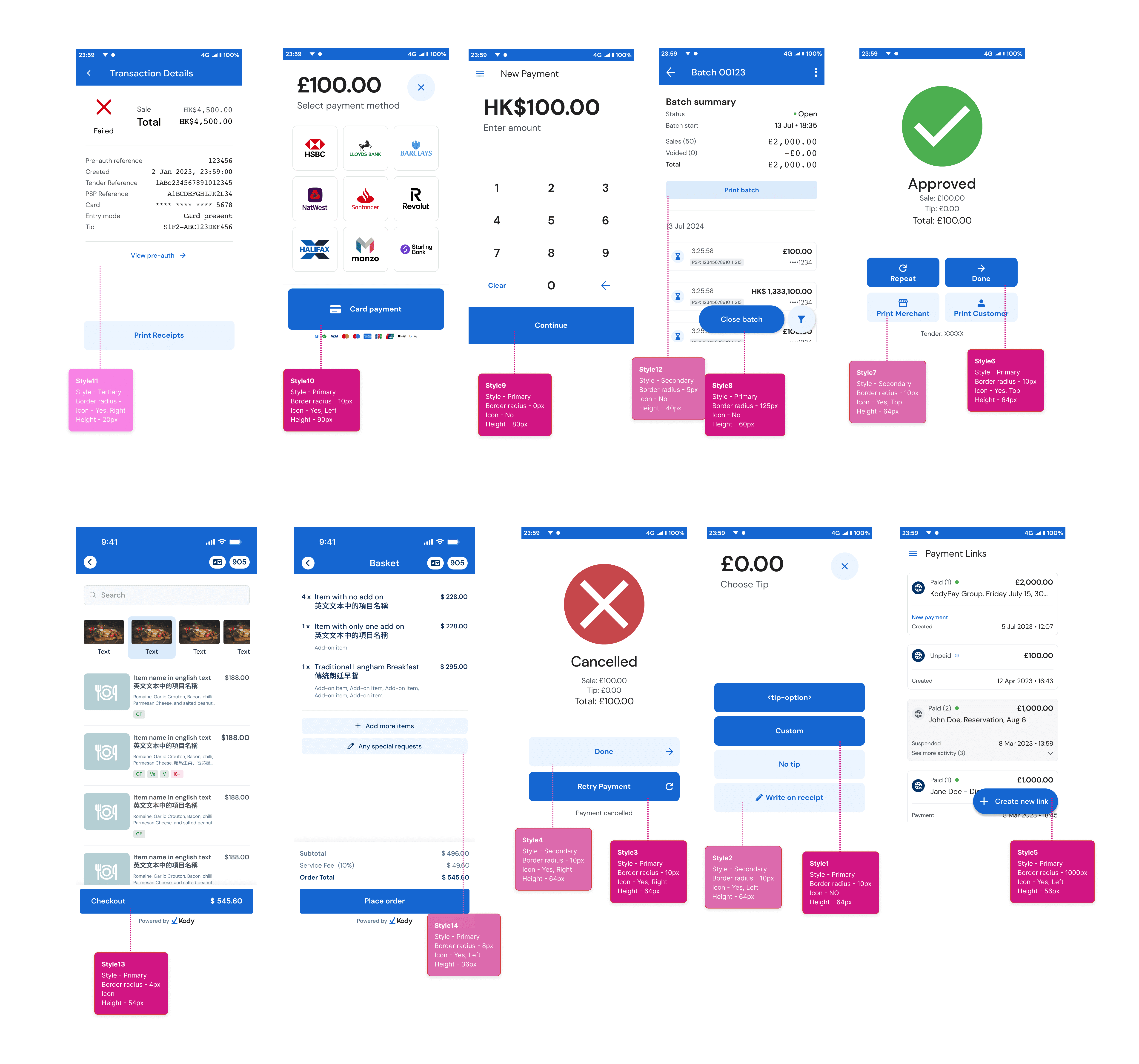
Core patterns like buttons existed as individual instances; the same components were implemented in multiple styles, especially in Terminal, with no clear standard.
Without a source of truth, new joiners couldn't tell which reference was correct and which was outdated, replicating legacy errors into new work.
Designers didn't know which design system version to follow — multiple overlapping versions existed in Figma, each partially outdated, with no clear owner or canonical source.
Simplify, don't redesign
The same components were implemented in multiple styles, especially in Terminal, with no clear standard.
Foundation-first
Tokens before components.
Progressive adoption
Start with high-impact surfaces and migrate iteratively.
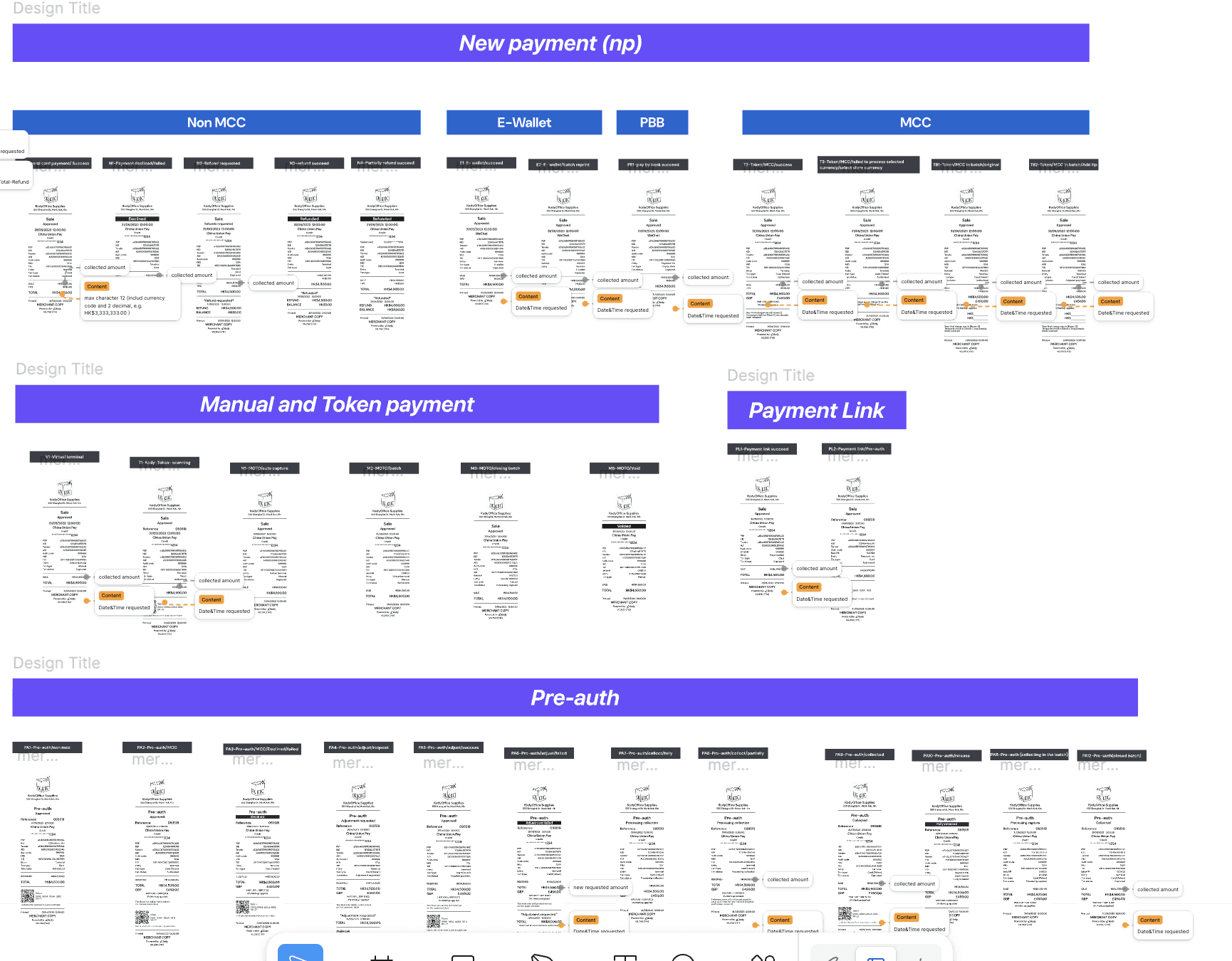
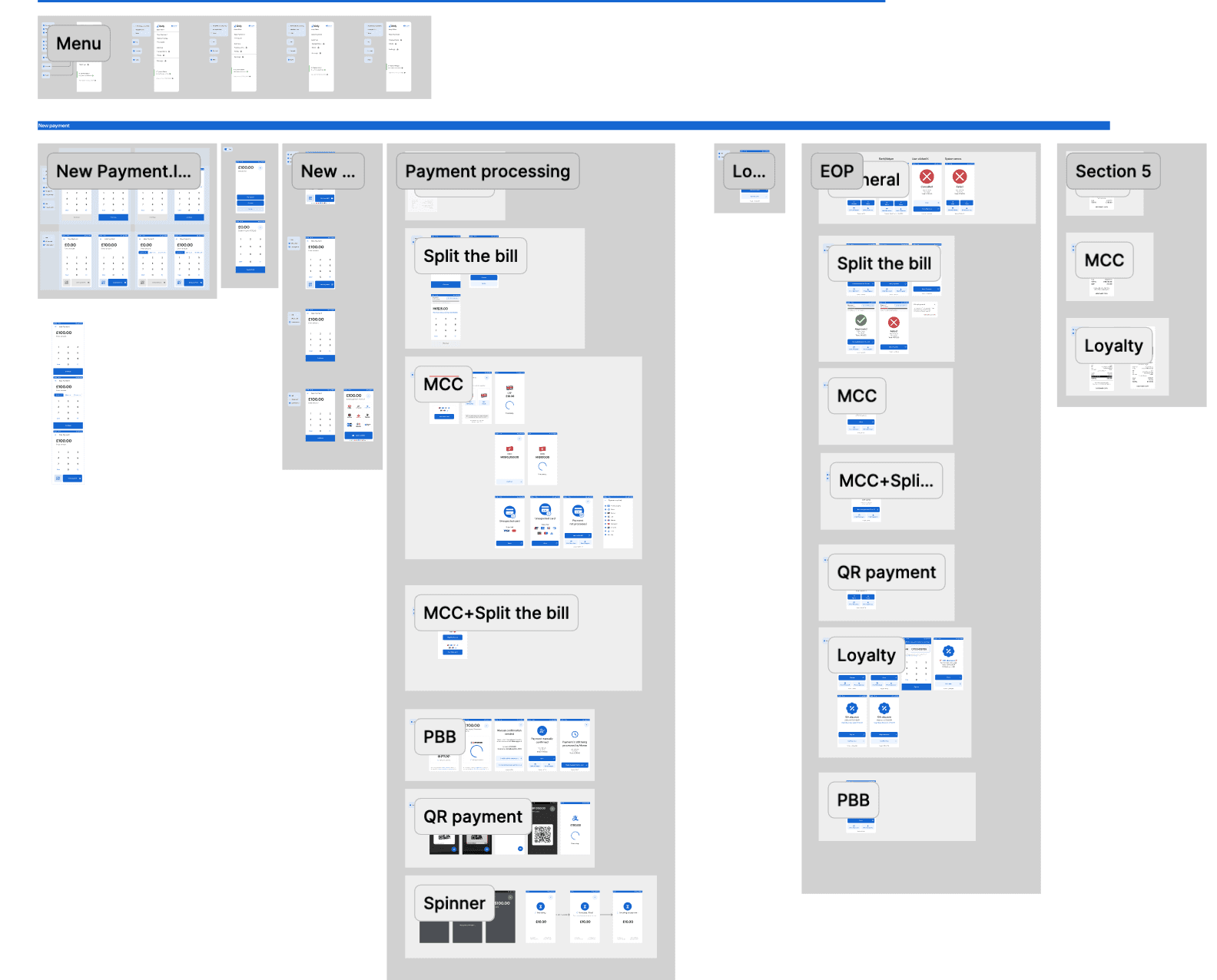
A key deliverable was a clear, accessible source of truth for design, QA, and engineering. I collaborated with QA to organise 67 terminal designs and 23 receipt designs based on the payment flow — speeding up QA and designer processes.


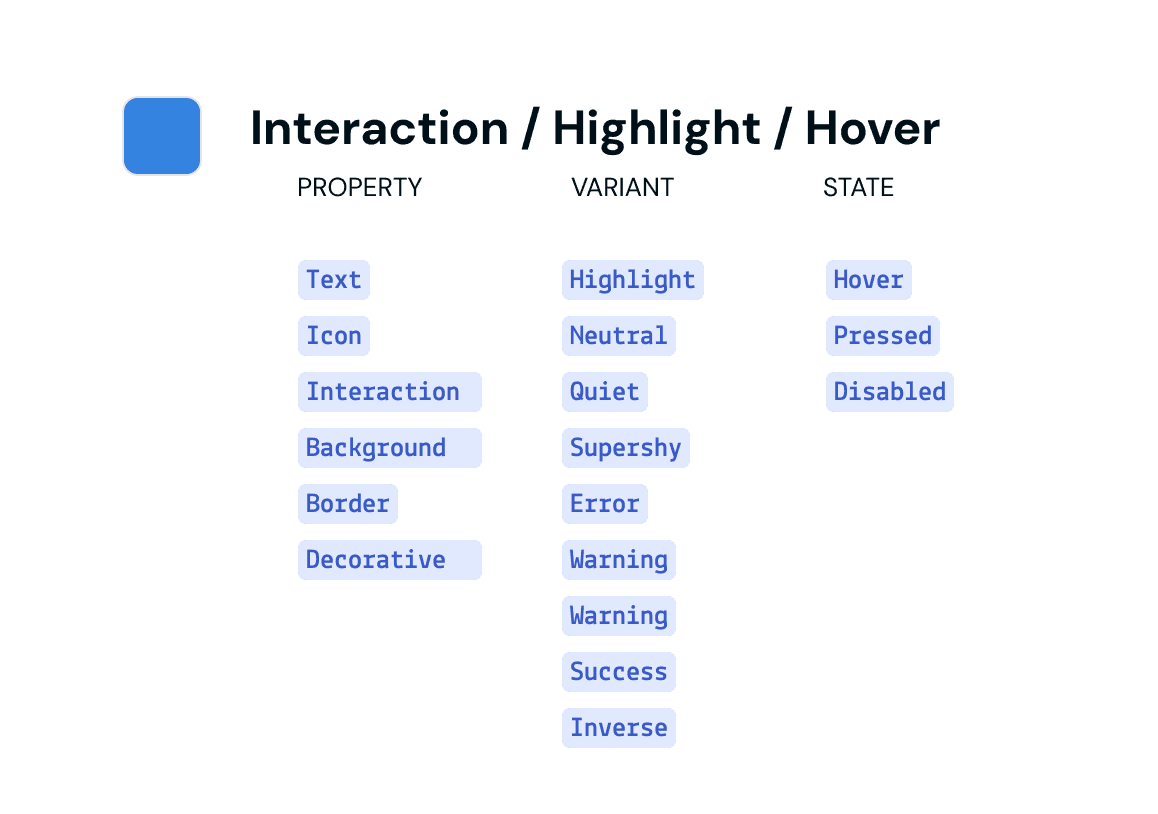
I collaborated with other designers to introduce a scalable token system that standardised visual decisions across platforms and aligned design with engineering implementation.


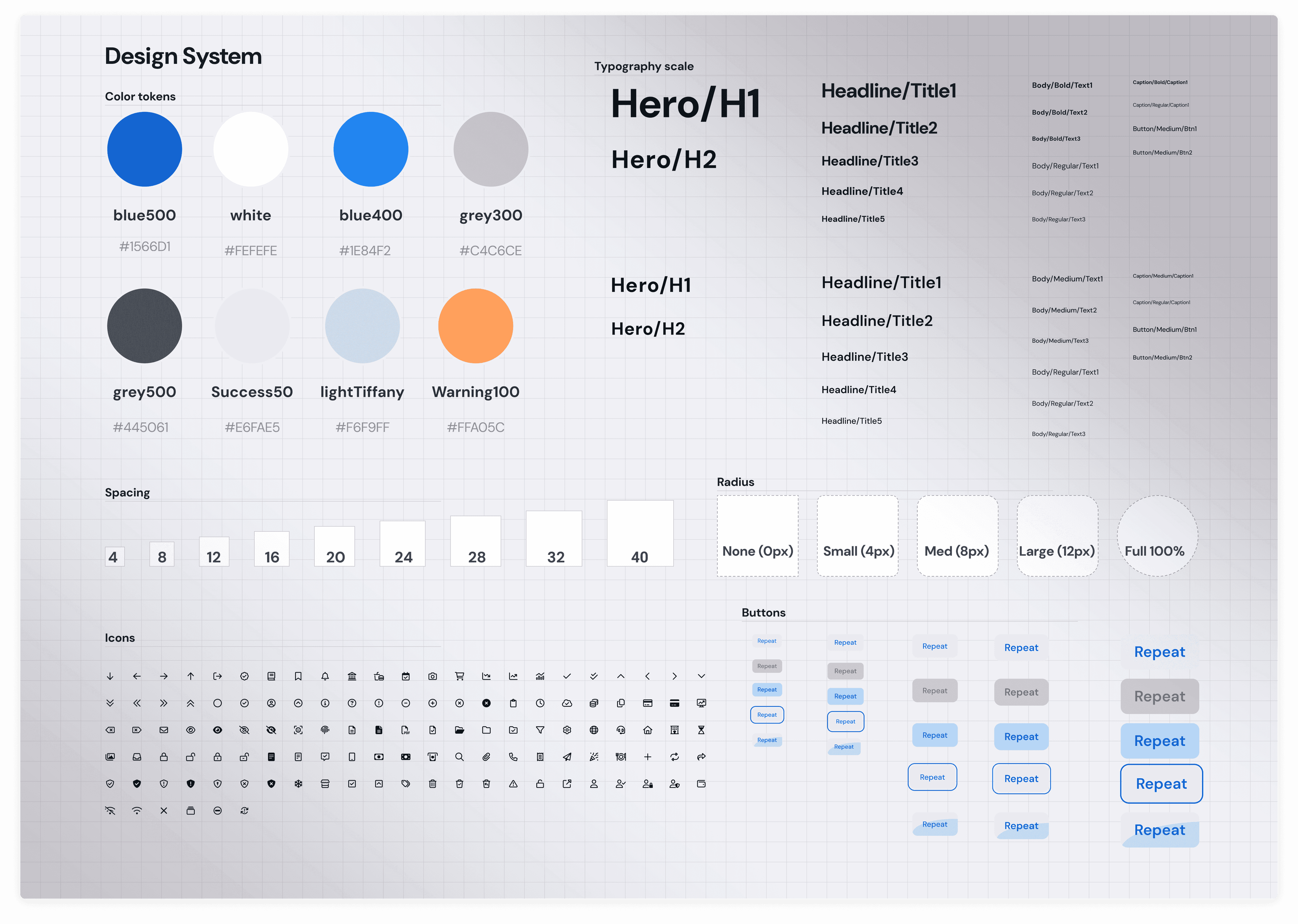
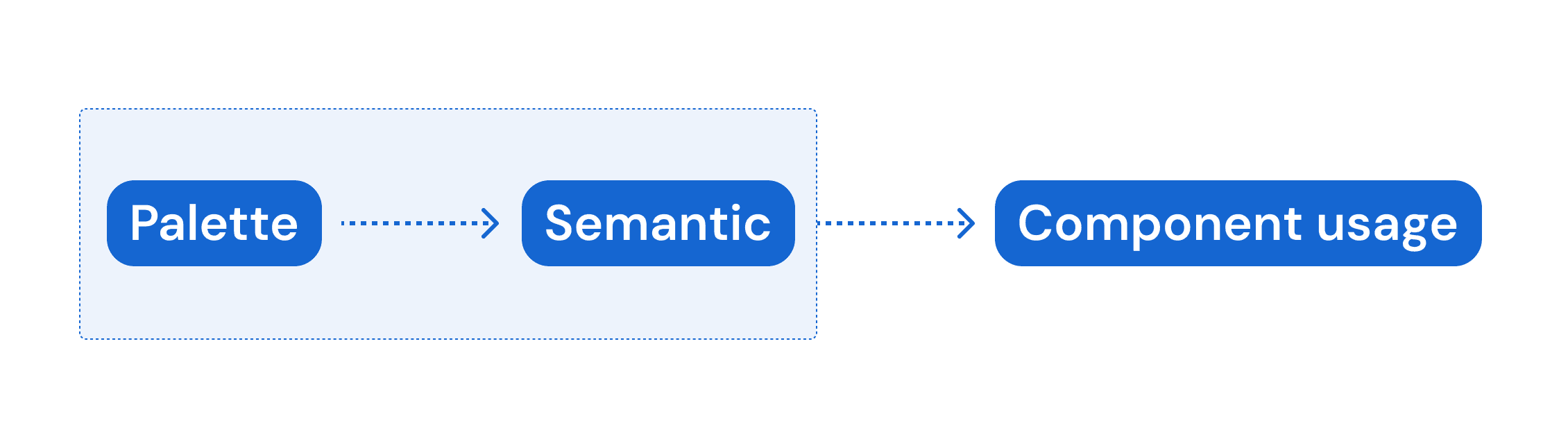
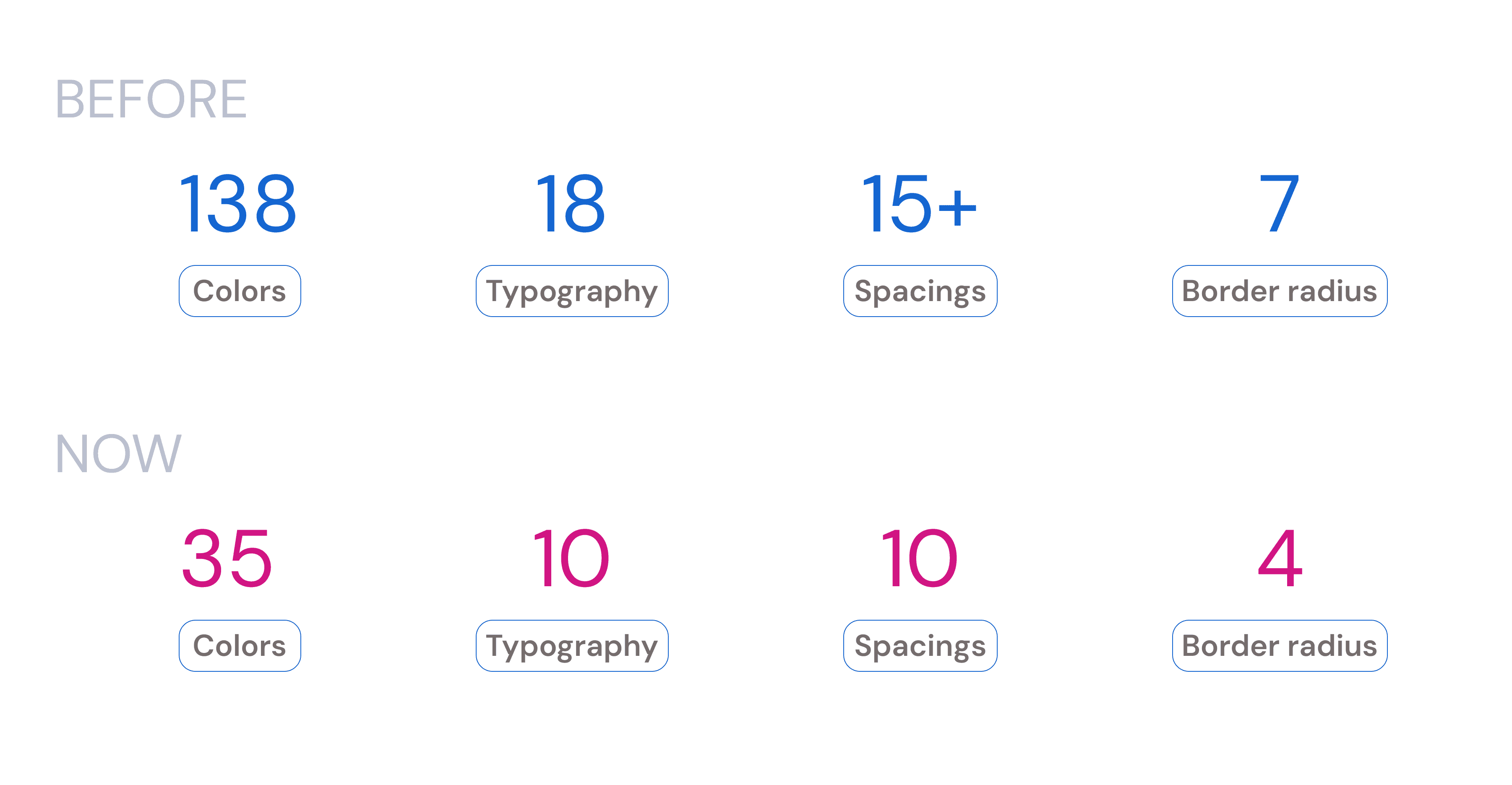
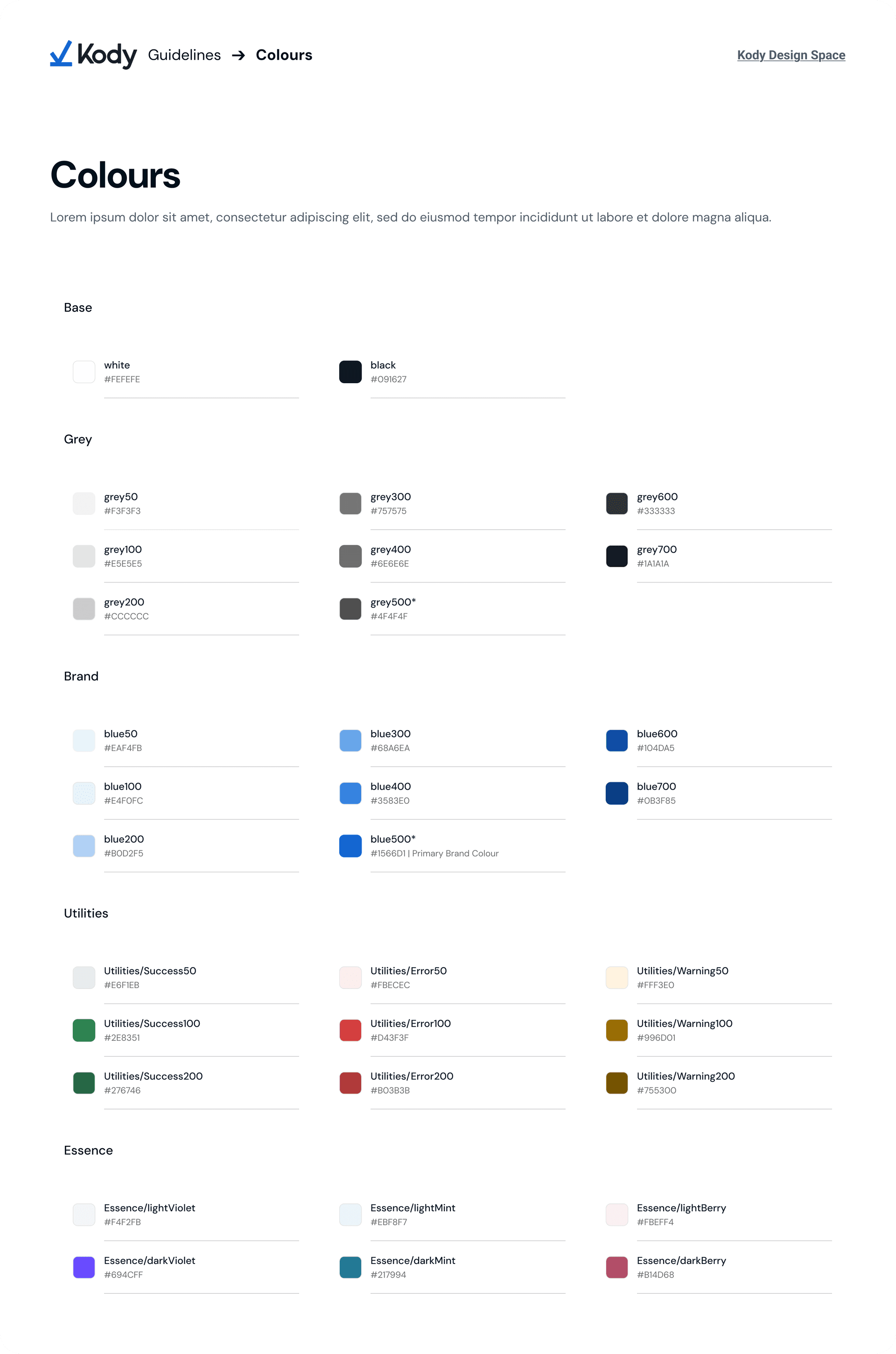
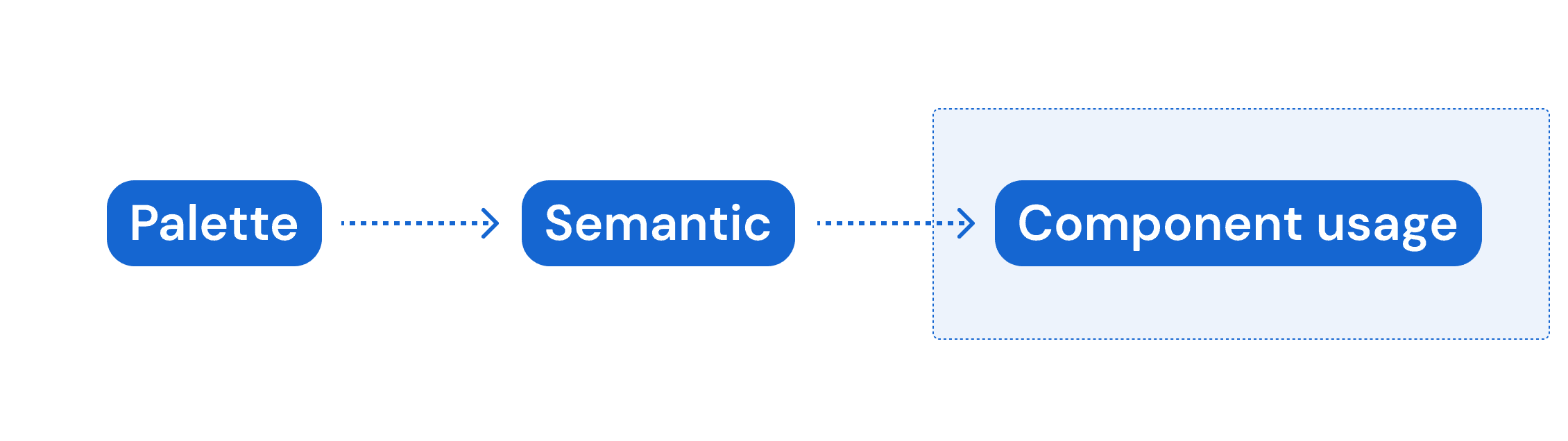
We reduced 138 inconsistent colour tokens into 35 palette tokens, then redefined the semantic structure to ensure consistent usage across different contexts. This enabled designers to apply colours based on meaning rather than manual selection.


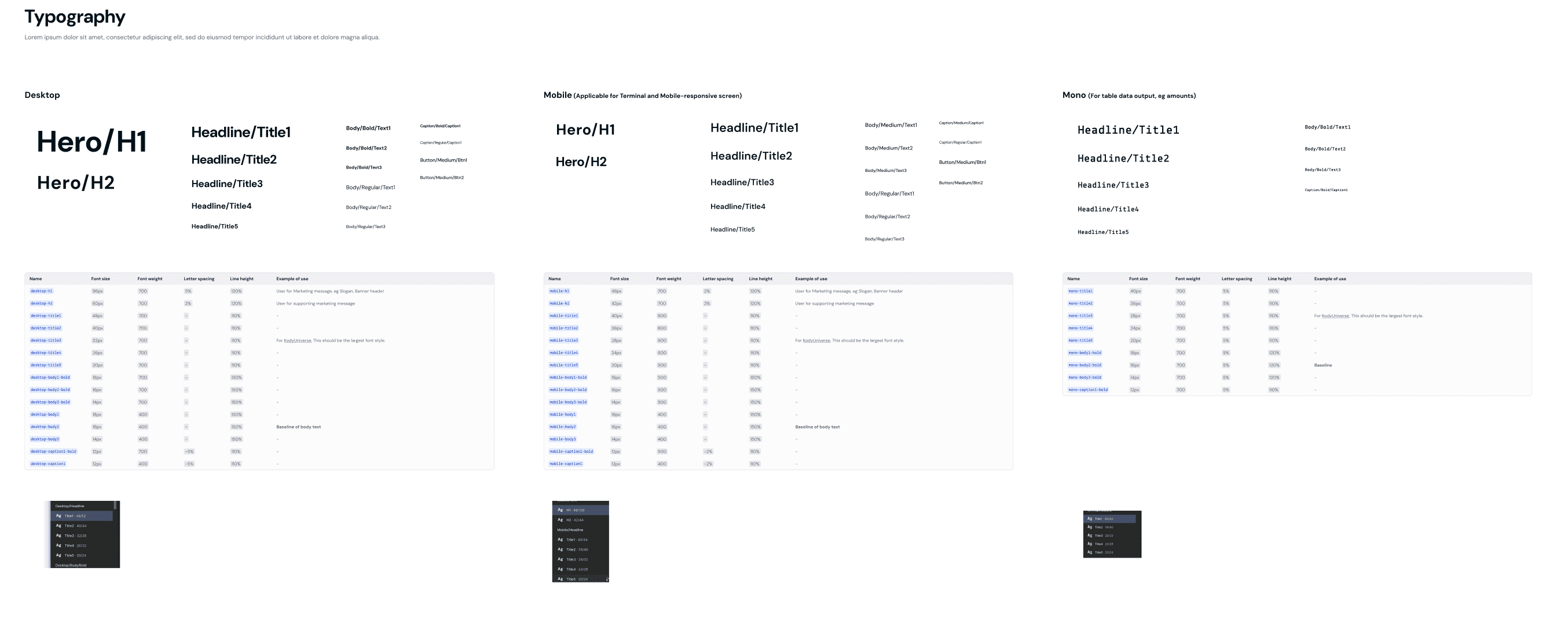
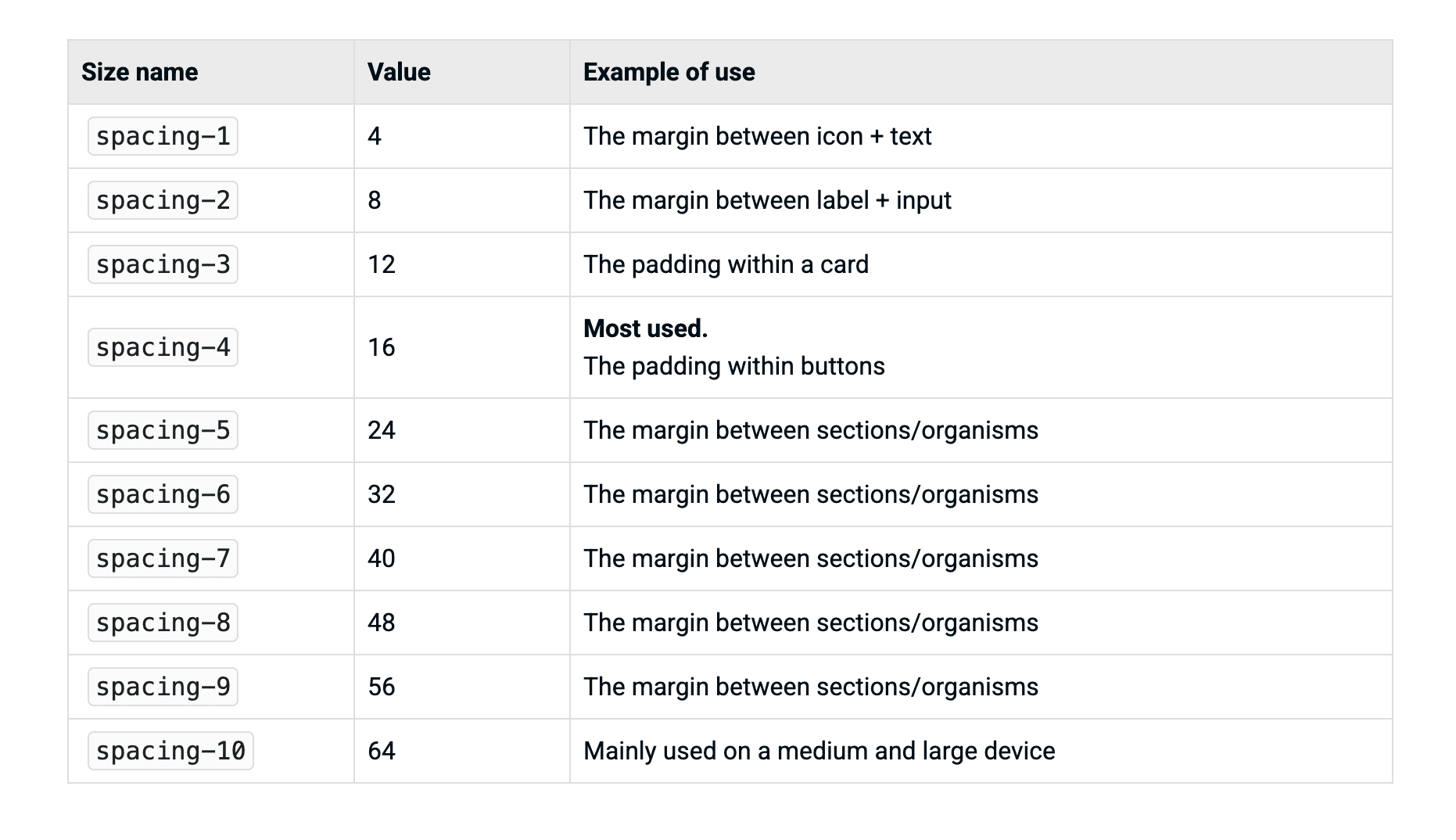
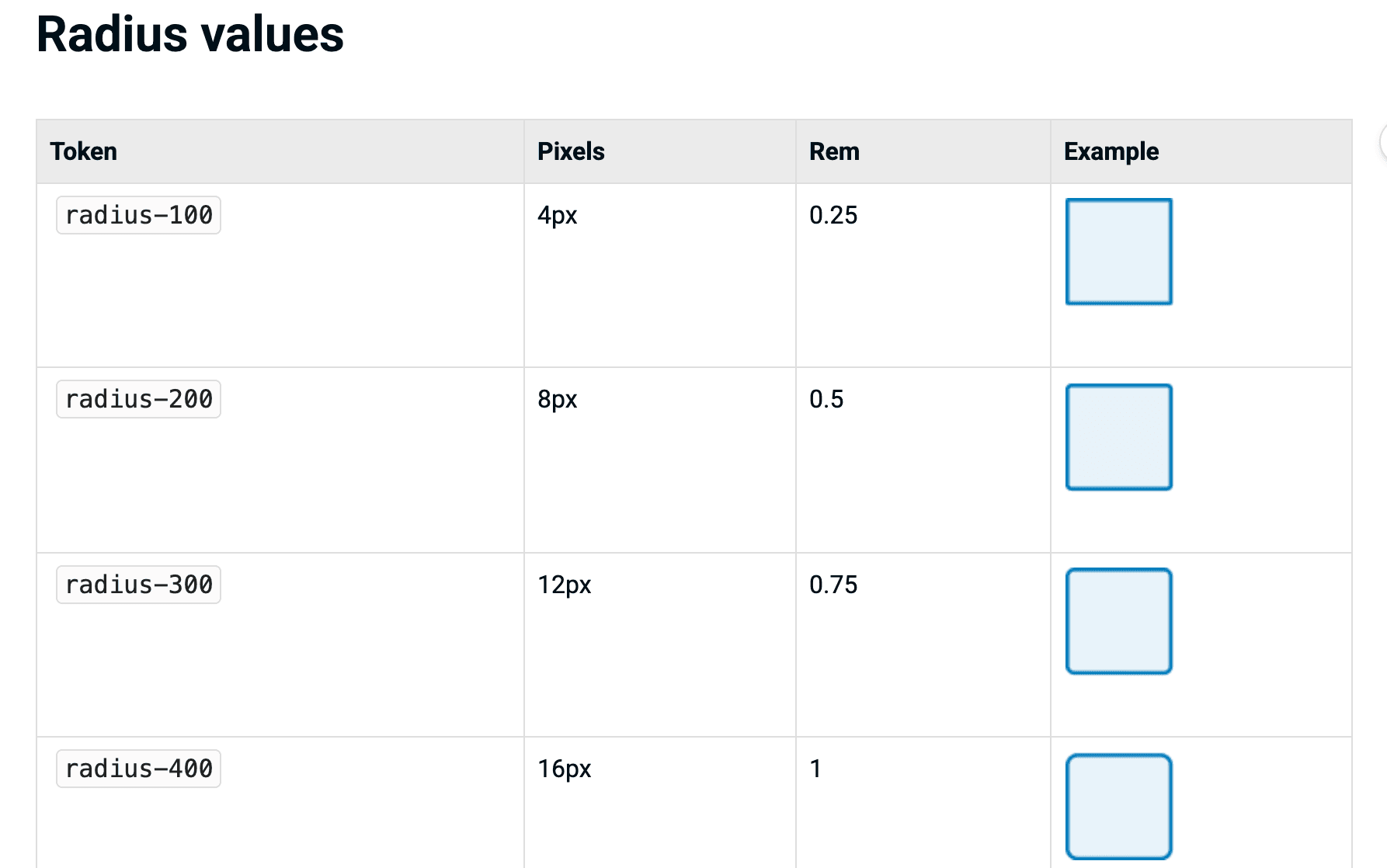
Beyond colour, the system extended to cover typography, spacing, and border radius, ensuring consistent behaviour across components and platforms.


While tokens established a consistent visual foundation, components were still fragmented across products. The team first separated components into web, Android, and iOS groups. Given resource constraints, Terminal (Android) was prioritised as the primary surface to establish component standards before scaling across platforms.


Action-Button
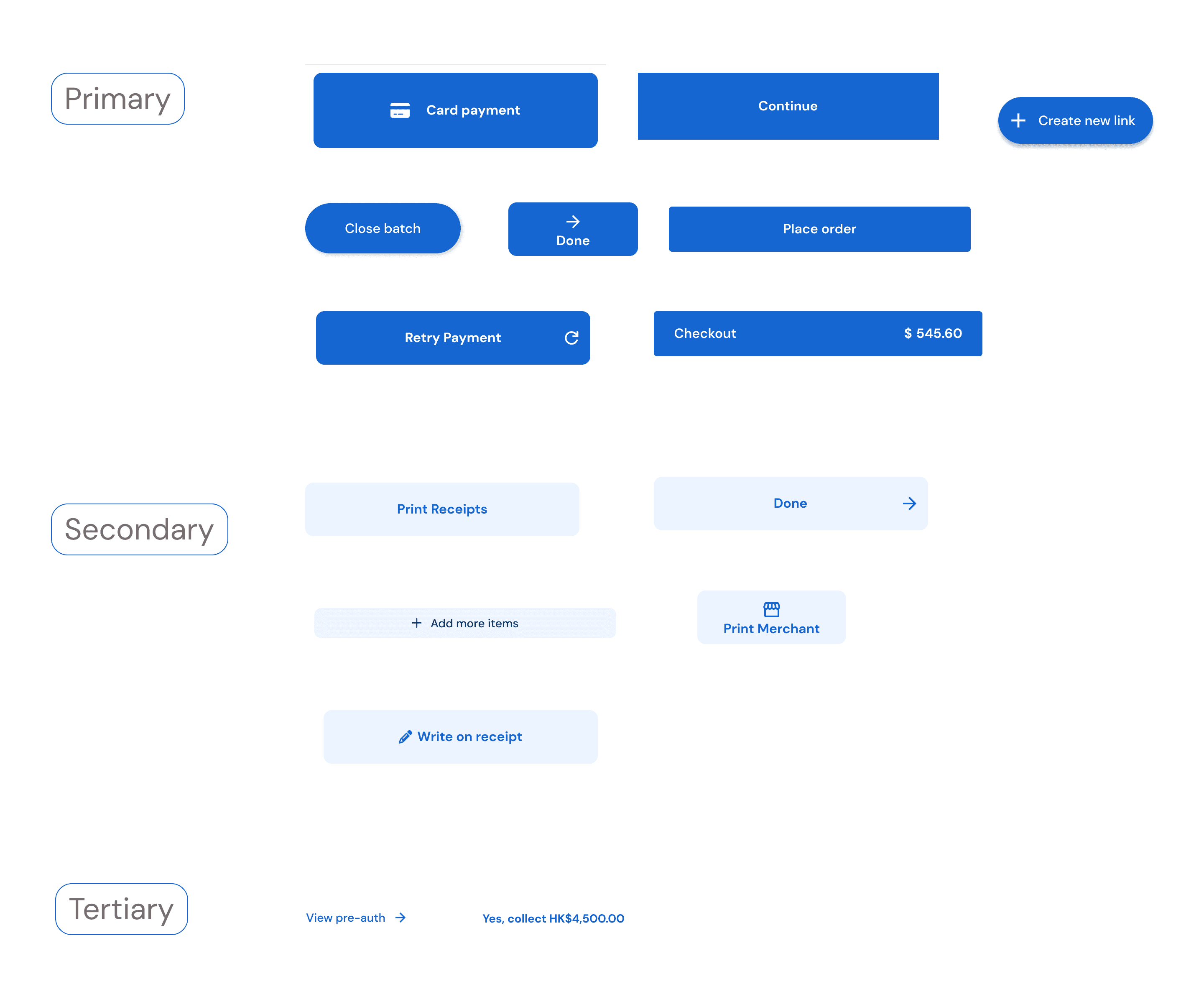
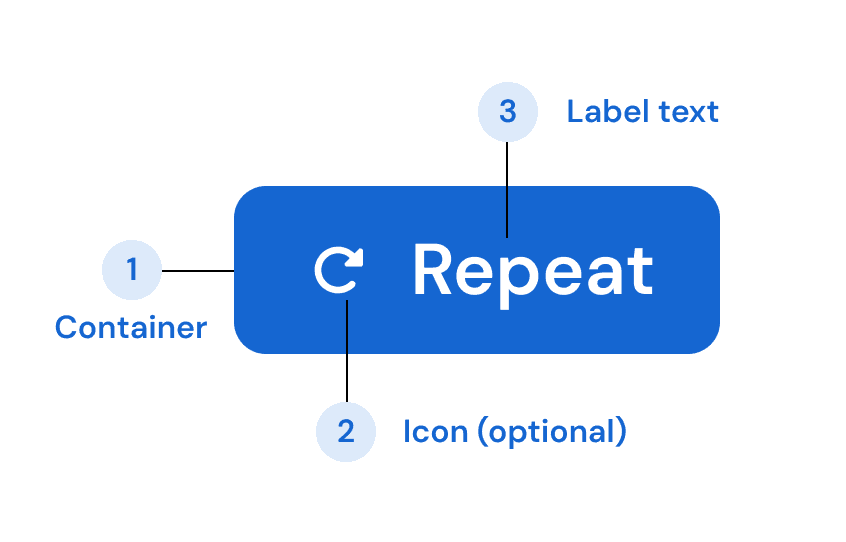
Through auditing terminal flows, I found that buttons were designed case by case, without a shared structure. The same action (e.g. "Pay" or "Continue") appeared with different styles, sizes, and visual weights, with no clear relationship between intent and appearance.

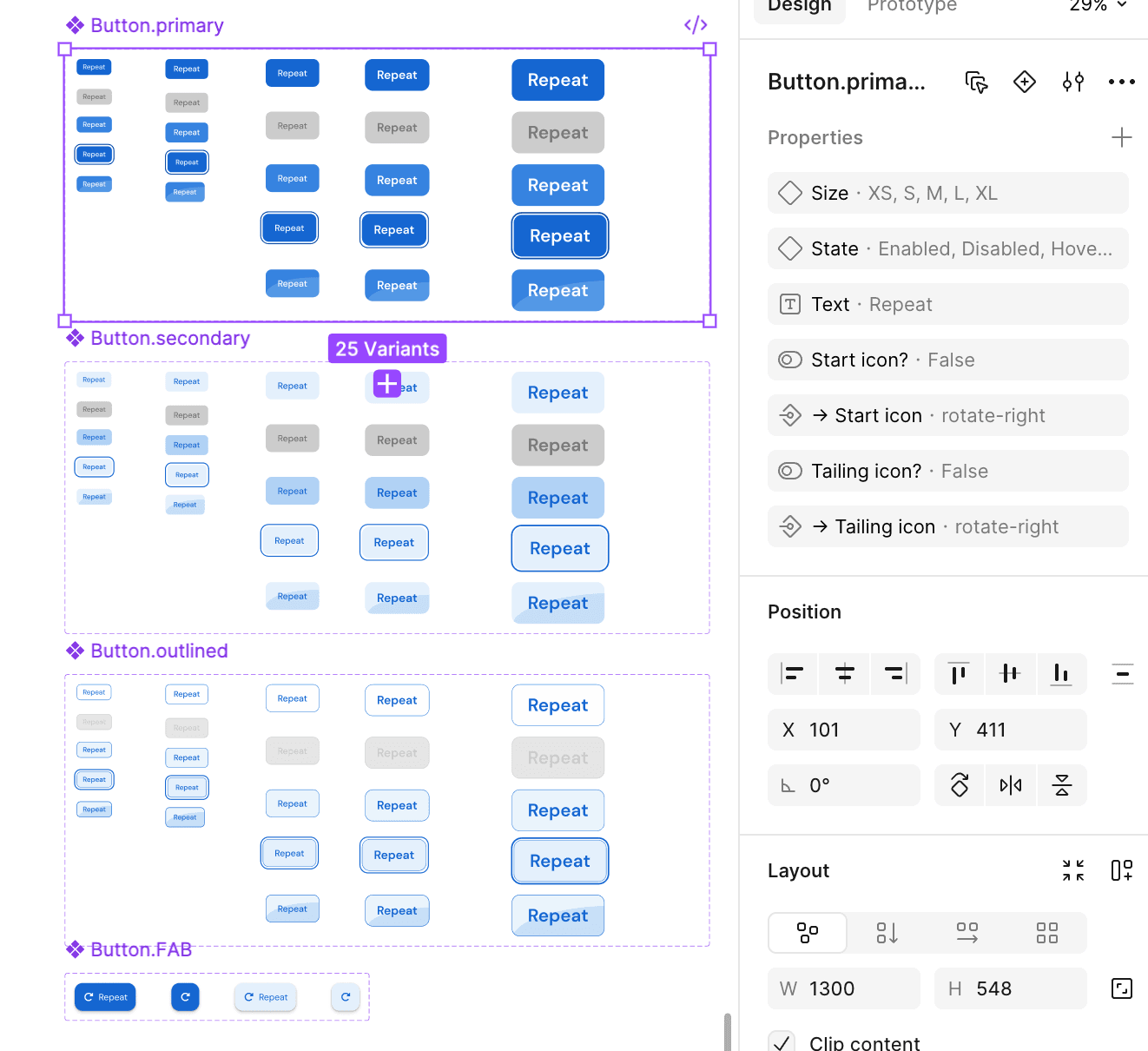
Instead of standardising each button individually, a compositional model was defined by breaking buttons into four independent dimensions:
Primary / Secondary / Tertiary
Filled / Outline / Text
XS / S / M / L
Default / Disabled / Loading


Rather than attempting a full migration across all products, a progressive rollout strategy was suggested to minimise disruption and reduce implementation risk. Terminal (Android) was selected as the initial surface due to its high usage frequency and relatively controlled scope. The new token and component system was applied to key user flows (new payment), creating a working reference for how the system should be used in practice. Legacy screens were maintained temporarily, while all new designs followed the updated token and component system.

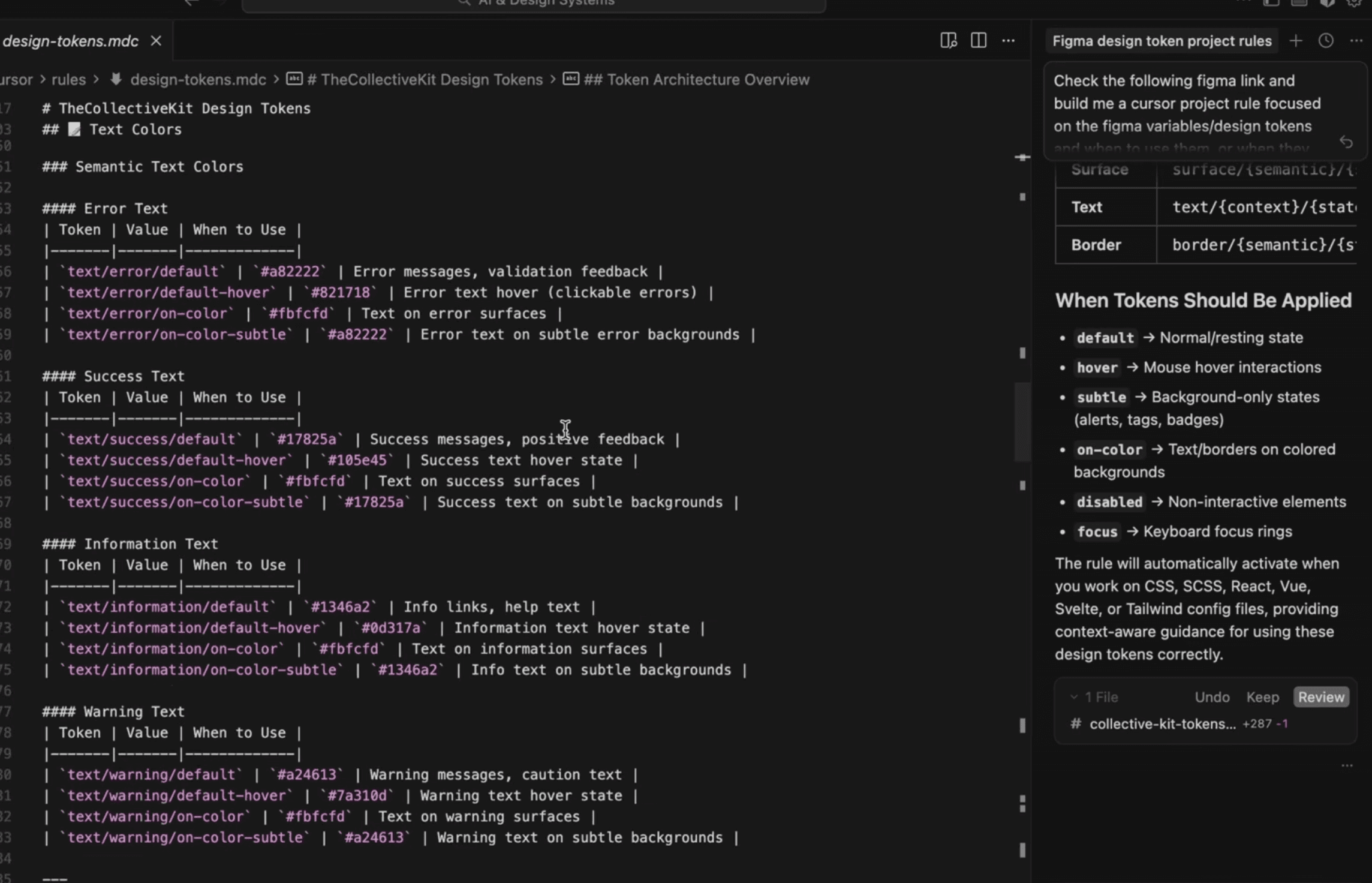
To support ongoing consistency, the design system was translated into a set of machine-readable rules using Claude Code, enabling automated validation of design outputs. Designers could submit Figma designs for automated checks, where elements that deviated from token were identified and flagged.

76%
reduction in foundation tokens
138→35
colour tokens consolidated
13%
less receipt paper used
Reduced colour tokens from 138 to 35 (~75% reduction), improving consistency and maintainability across products
Optimised receipt structure, reducing paper usage by 13% and improving operational efficiency
Improved QA efficiency through a structured design reference system
"Now I can directly access to the terminal design bank to validate some legacy design instead of finding clues in lots of back-and-forth conversations."
— QA