Counter-side Pickup Coordination for Food Court Vendors

Designing a counter-first order management system that helped frontline staff coordinate digital orders, kitchen tickets, customer pickup notifications, and real-time stock changes during busy service.
Counter-side pickup coordination cover
B2BOperationUsability Redesign

My role

I led the workflow research, problem framing, interaction design, prototyping, validation, and final handoff for this 0-to-1 counter staff tool.

Outcome

The pilot supported 8 venues, 350-500 daily orders, and reached 100% adoption among counter staff during live food court service.
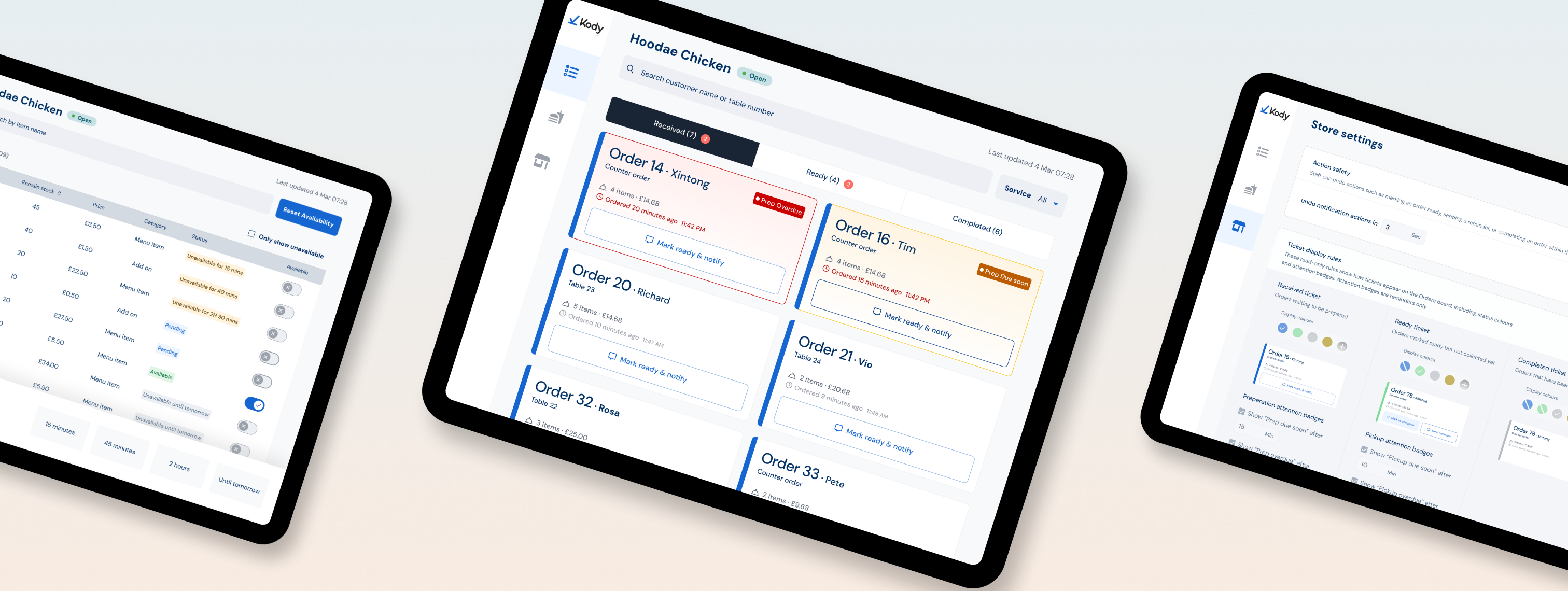
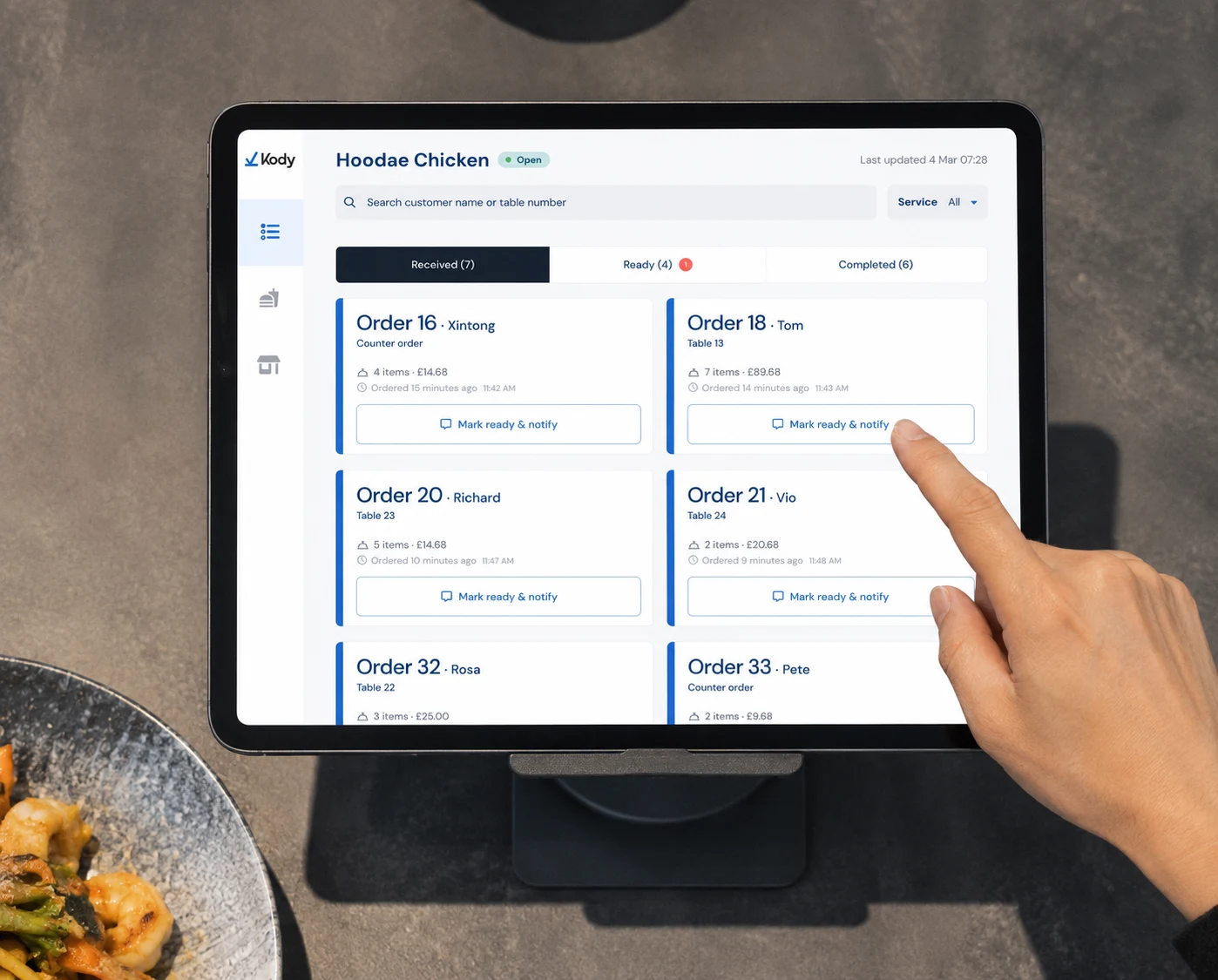
Counter pickup interface shown across vendor tablets
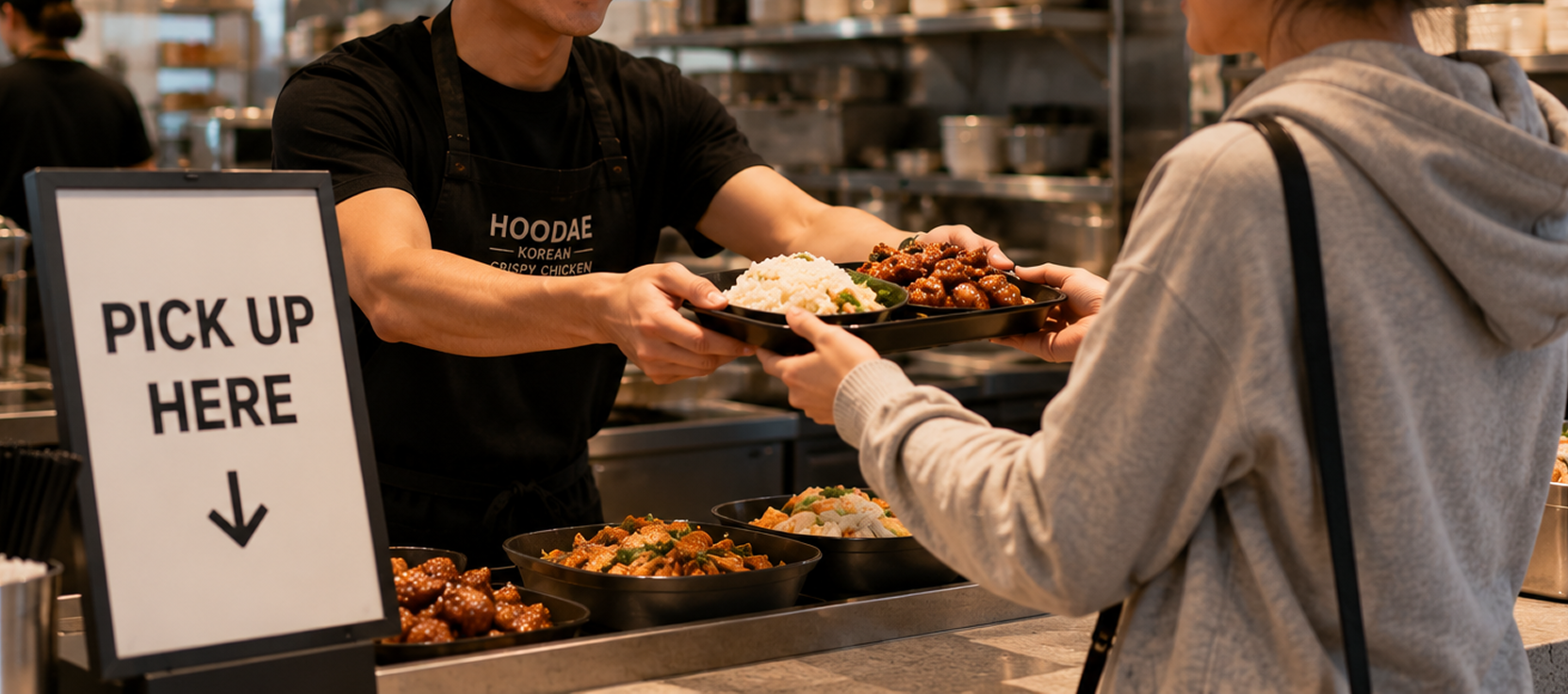
Food court counter staff handing a customer a pickup order.

350-500

daily orders supported through the workflow

95%

Positive NPS Feedback

During the pilot, the product reached 100% adoption among counter staff and received positive feedback from staff and managers, especially around faster scanning, clearer urgency signals, and safer customer notifications.

“It feels much faster during lunch rush.”

“Before, I had to keep checking timestamps. Now I know what’s getting risky.”

— Staff feedback
Case Study

Counter-side Pickup Coordination

Context: Expanding into QR-first food court operations

Kody saw an opportunity to expand beyond smaller hospitality businesses into QR-first food court operations, where payments are centralised and vendors focus mainly on fulfilment.

Few competitor products were built specifically for this model. The target food court was relying on multiple third-party systems across ordering, payment, and operations, which created a fragmented workflow for staff and led them to partner with Kody.

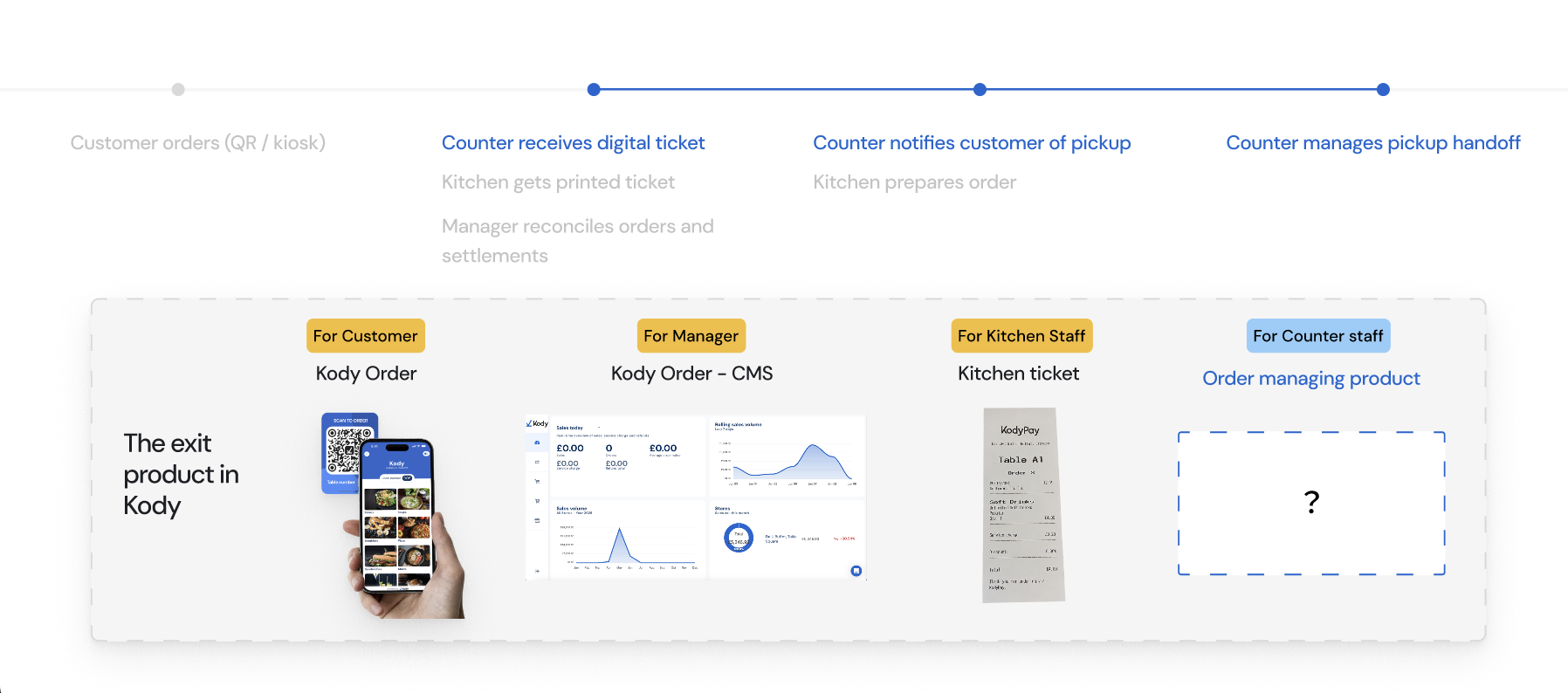
Kody's existing product set covered enough of the journey for an early launch, including customer ordering, manager reconciliation, and kitchen tickets. The missing piece was a dedicated operational tool for frontline counter staff.

Food court workflow and Kody product coverage before the counter staff tool

Problem Framing

To frame the problem, I interviewed 8 staff members across 6 venues and observed how counter teams handled orders during live service.

01

Cognitive overload

Staff scanned for urgency, not full order details.

02

High-cost action mistakes

Wrong notifications could immediately affect the customer experience.

03

Constant operational changes

Stock availability changed during service and needed quick adjustment.

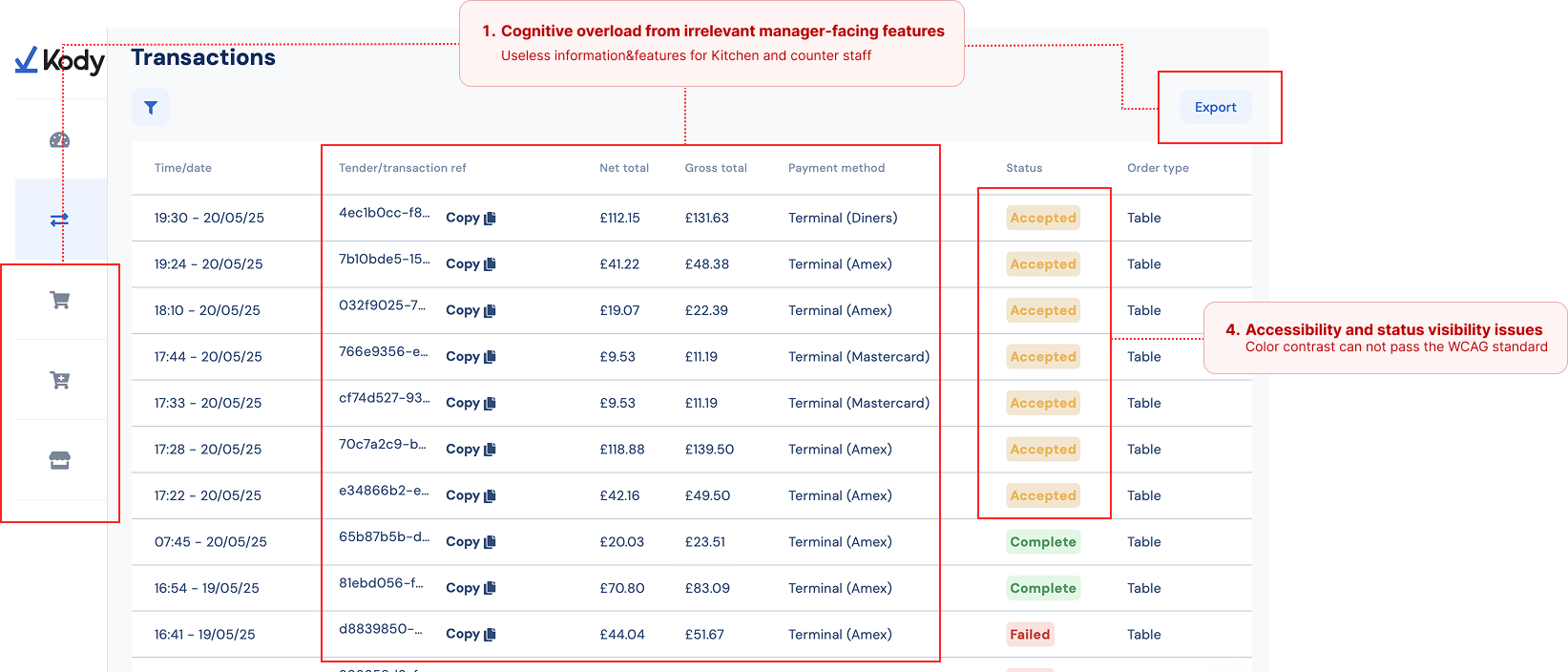
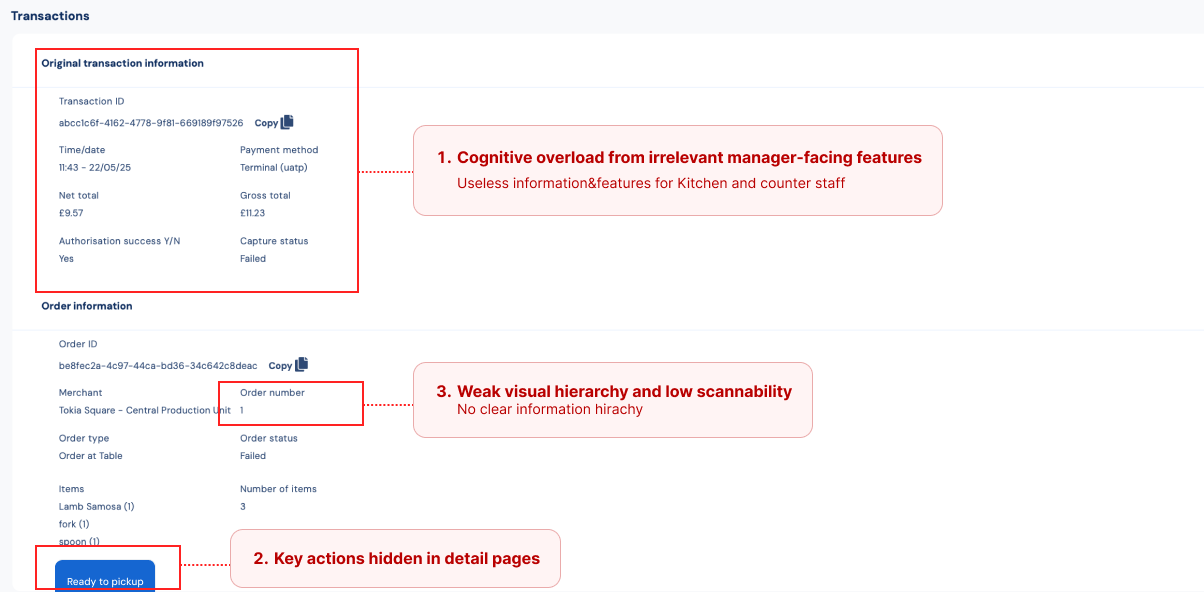
I audited Kody's existing CRM product, which integrated back-office order and kitchen ticket management for small owner-operated businesses. I focused on the order list and order detail pages to understand what could and could not support counter staff in a food court setting.

Audit of Kody CRM order list pageAudit of Kody CRM order detail page

Design challenge: helping frontline staff coordinate orders faster and more confidently in a high-pressure environment.

Design Decision

01. Reducing time-to-action through faster scanning and urgency states

The first design direction focused on helping staff recognise what needed attention and act faster. I explored list-based and card-based layouts, then validated prototypes with staff and internal stakeholders. The card-based direction created clearer separation between tickets and allowed key actions to stay visible upfront.

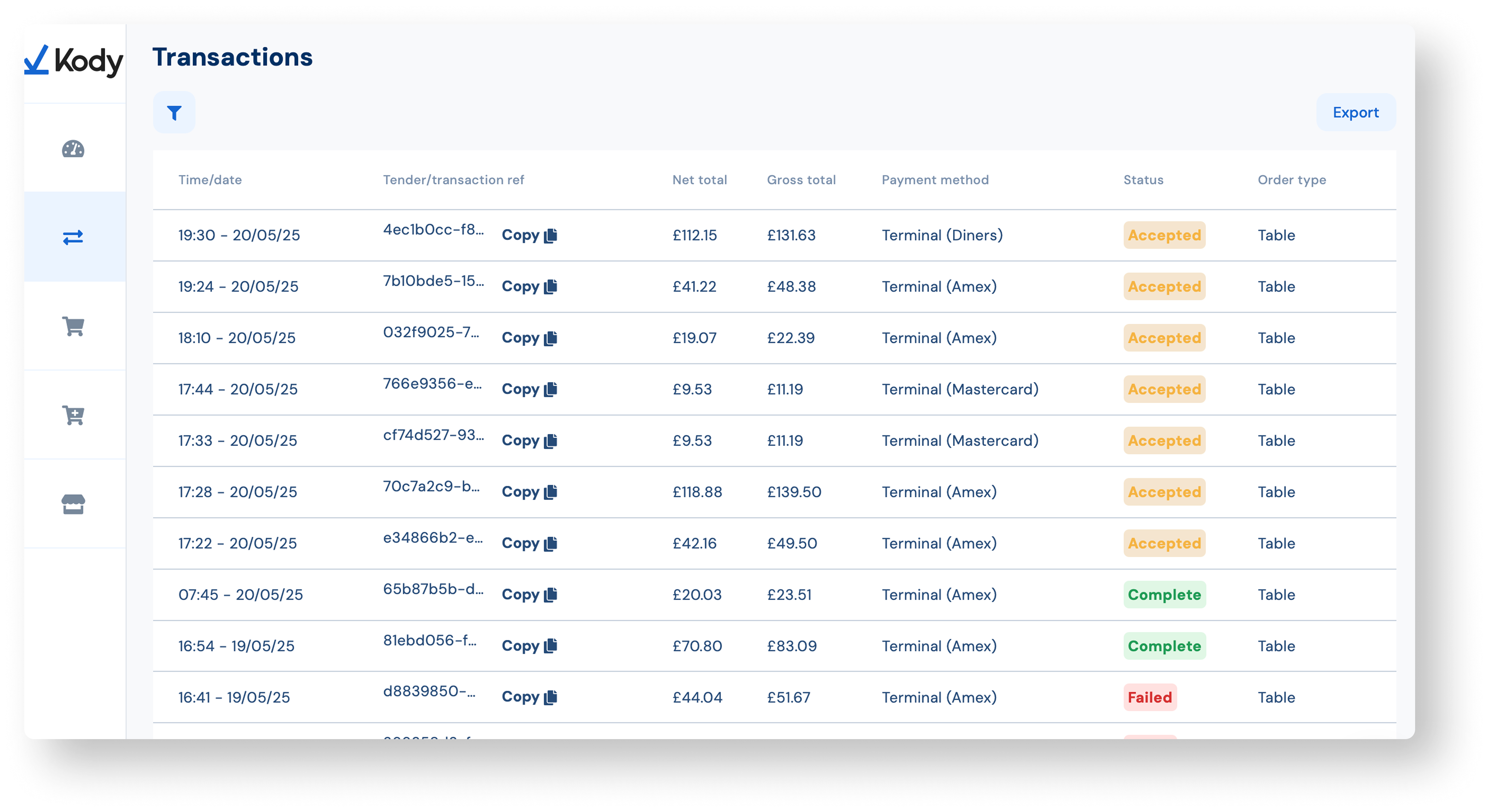
Before
Before: Kody CRM transaction list designed around back-office order management.
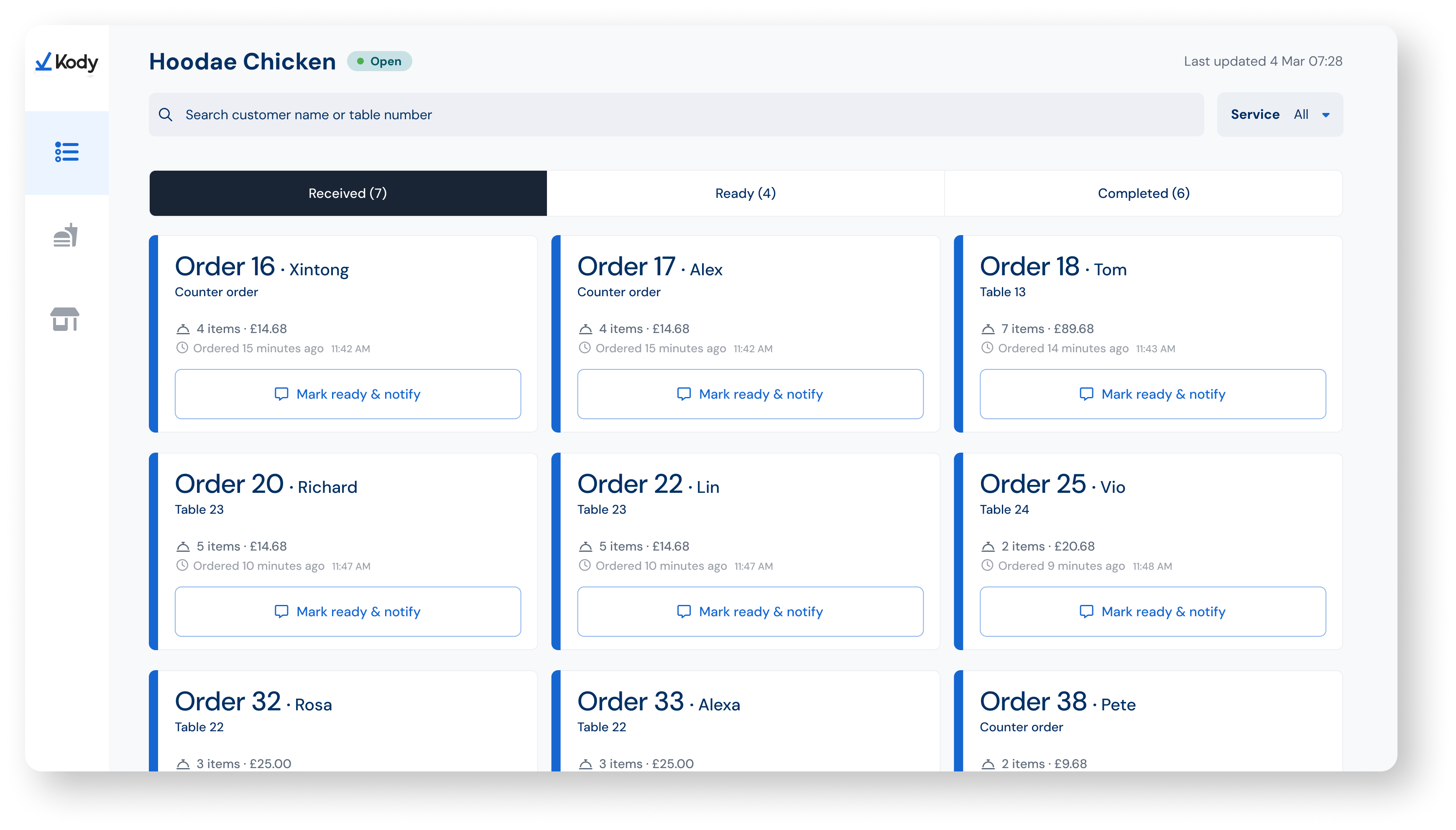
After
After: received order queue with card-based tickets and visible action controls.

During research, I noticed staff were constantly checking timestamps to judge whether an order needed attention. This created extra cognitive load, especially during busy periods.

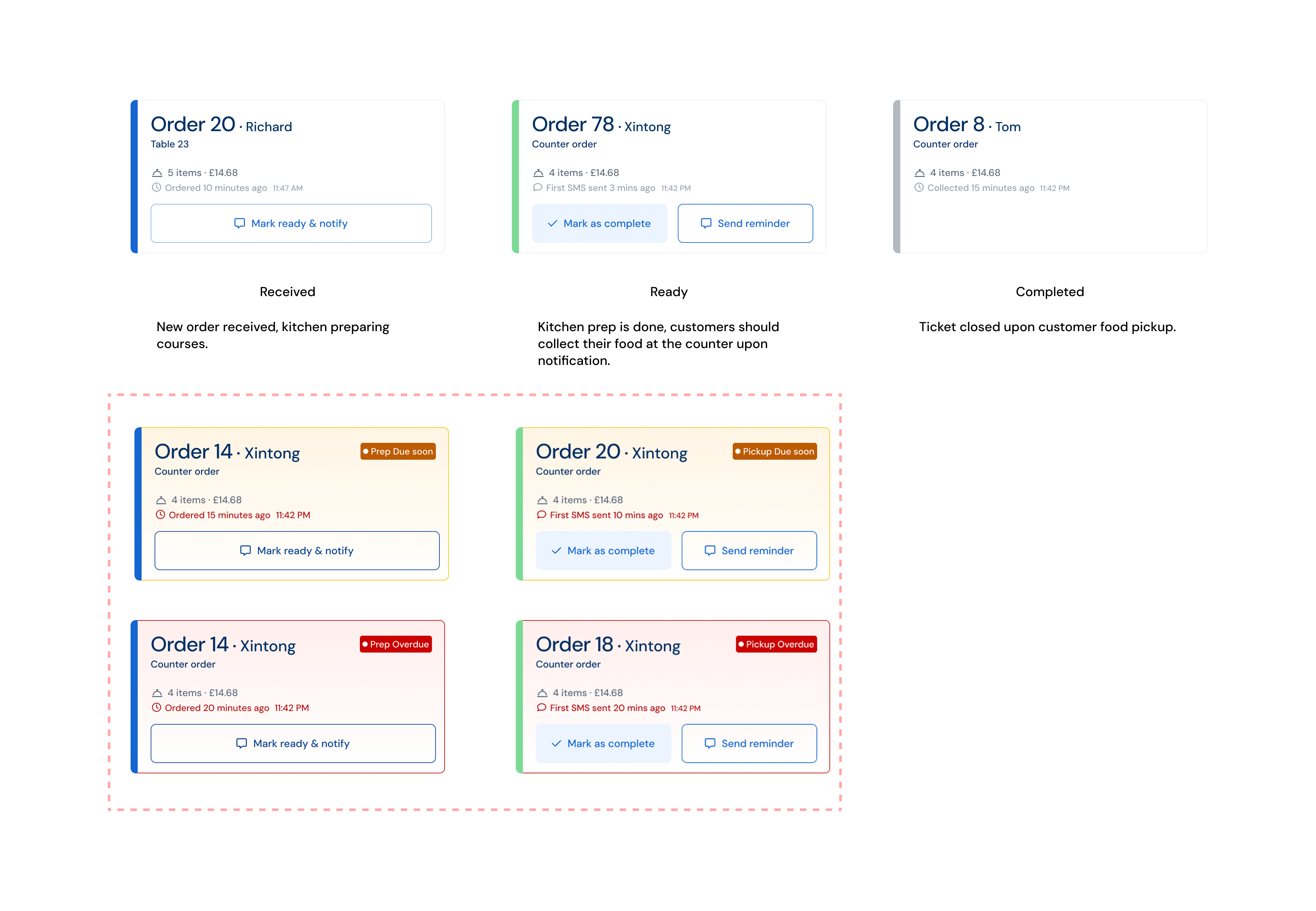
So instead of asking staff to manually interpret time, I introduced two proactive urgency states: Due soon and Overdue.

Ticket status system showing received, ready, completed, due soon, and overdue states.

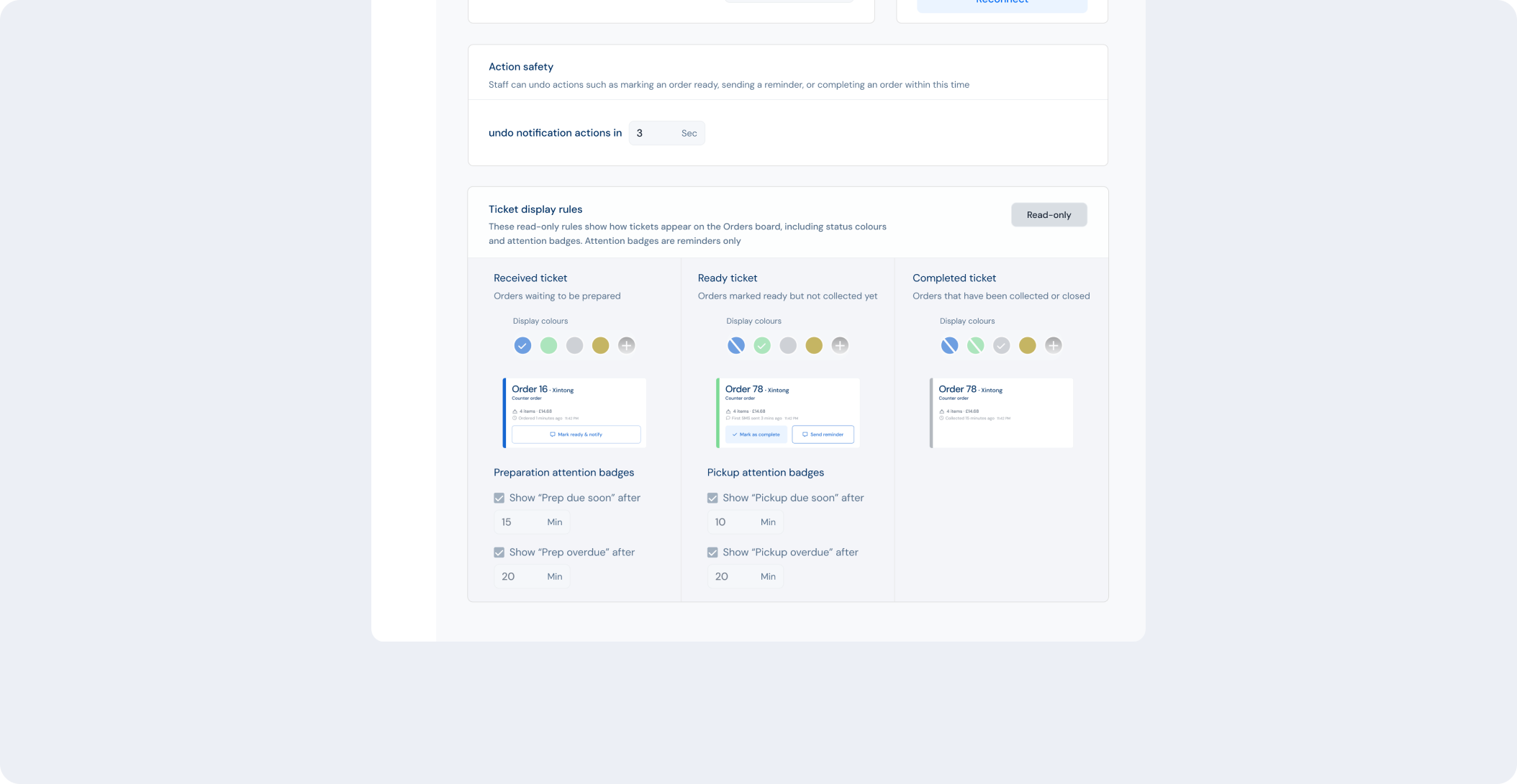
Because urgency thresholds can vary by venue and service model, I treated these rules as a manager-level responsibility. Instead of hardcoding the logic, I designed them as configurable rules inside the manager settings. For example, managers can define when a ticket becomes “Due soon” or “Overdue” across both preparation and pickup stages.

I then surfaced the manager-defined “Due soon” and “Overdue” rules as read-only information in Store Status, giving staff visibility into how orders are prioritised without adding unnecessary controls to their workflow.

Store Status settings showing read-only ticket display rules for due soon and overdue thresholds.

02. Adding a short undo window for safer notifications

Because wrong customer notifications had immediate consequences, I designed a short undo window before the backend sent the message. This allowed staff to recover from accidental taps without adding friction to the normal workflow.

03. Supporting temporary item availability changes

Stock changes happened constantly during service, but not every change meant an item was permanently sold out. I designed temporary availability controls so staff could pause items for short operational windows without leaving the service workflow.

Final design

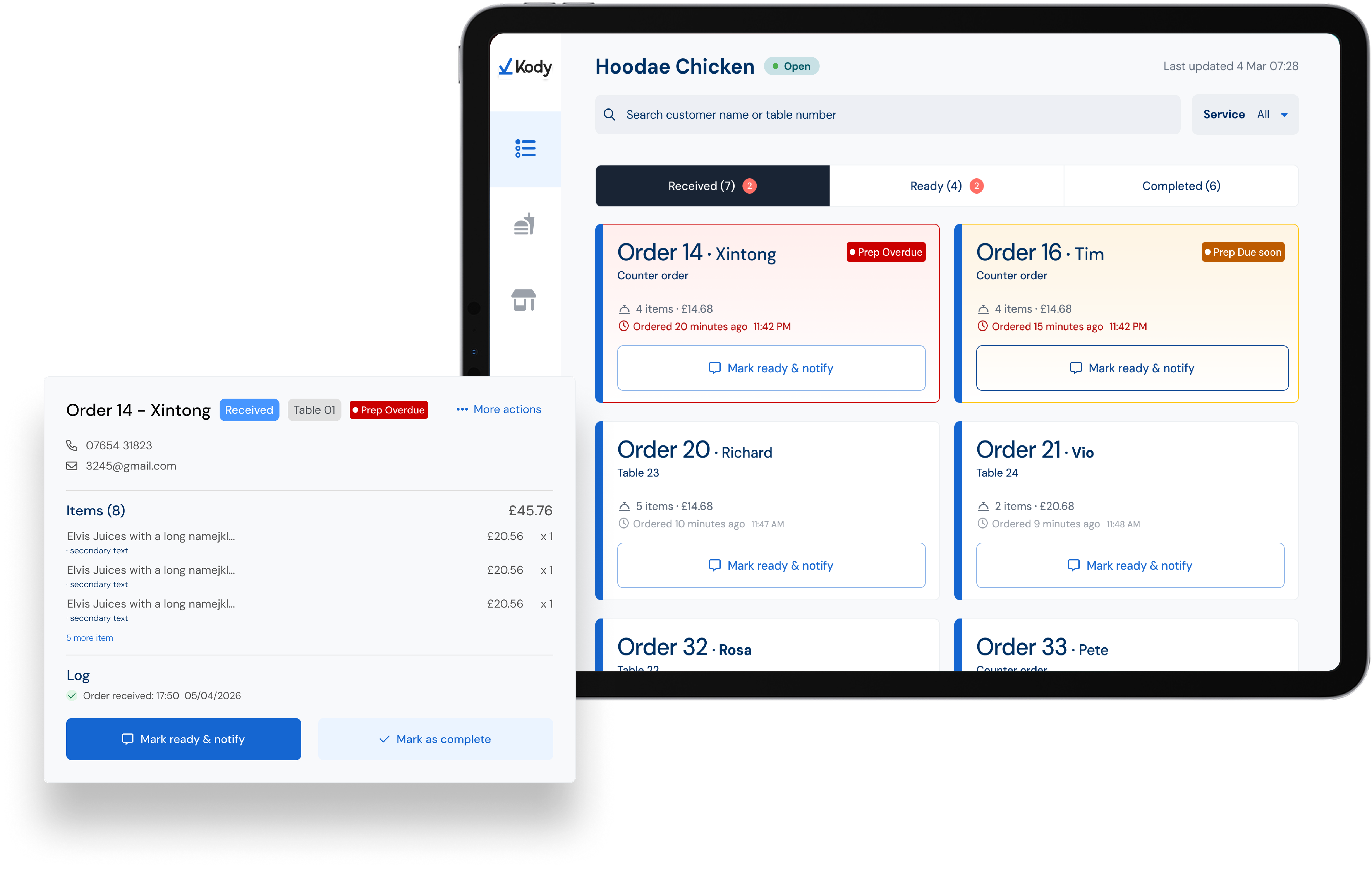
The final design reframed order management around counter staff rather than managers. It prioritised fast recognition, visible action controls, proactive urgency signals, safer customer notifications, and flexible stock handling.

Final counter pickup order management interface shown on an iPad.